
DVIR, HOS and fuel records,
written as the work happens.
Inspection and hours records should not be something you rebuild from paper. In the RushHour driver app on Android and iPhone, drivers complete signed pre- and post-trip inspections (DVIR) with photos and log duty status against the hours-of-service clocks, and they are warned before a limit. The office reviews every inspection in the Portal, and the activity log keeps a year of who did what, to which record. Hours are driver-logged; RushHour is not a certified ELD.
Captured as the work happens
Inspect it, log it, keep the record
Inspections, duty-status changes, issue reports and fuel entries are recorded on the driver's phone as the work happens, and RushHour keeps them for when someone asks.
Vehicle inspections
DVIR (pre- and post-trip inspection), signed on the phone
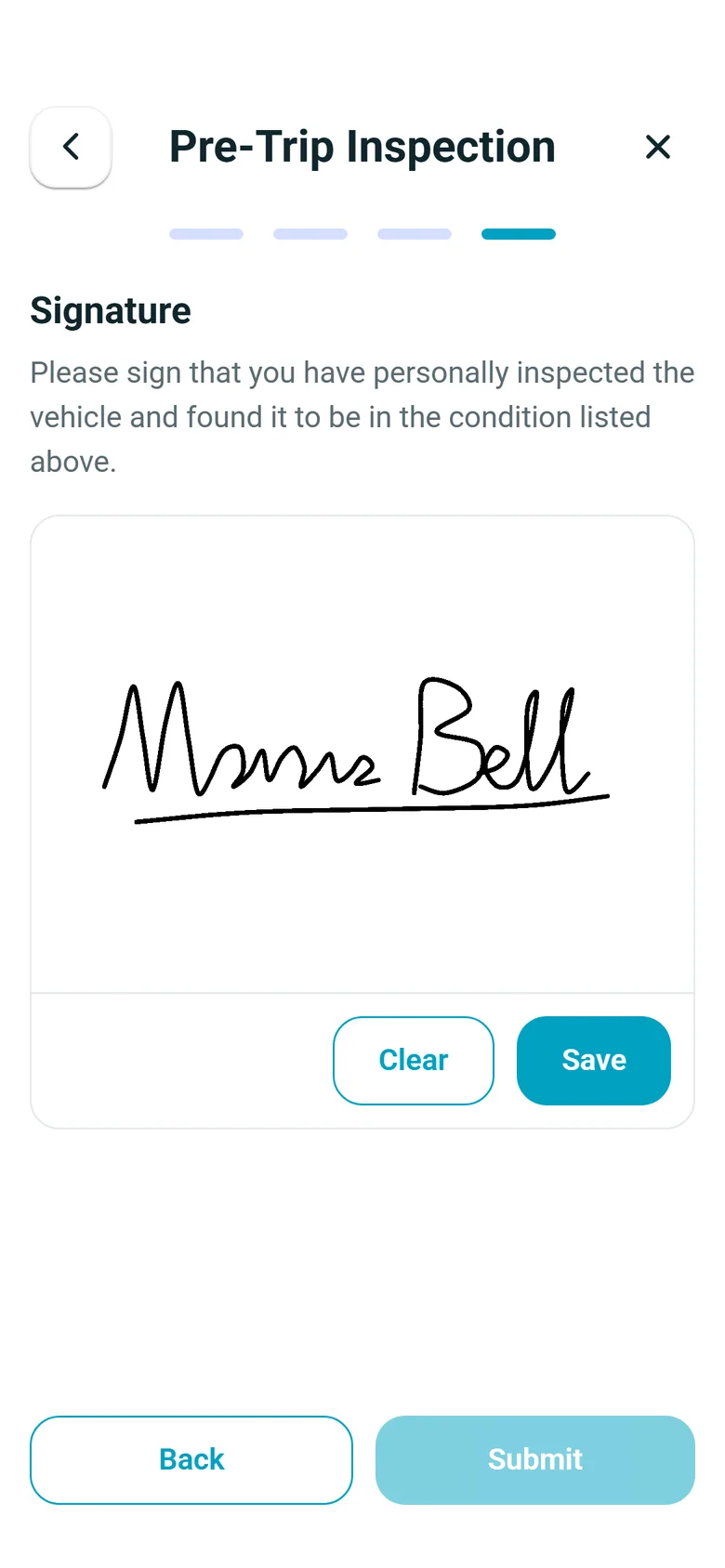
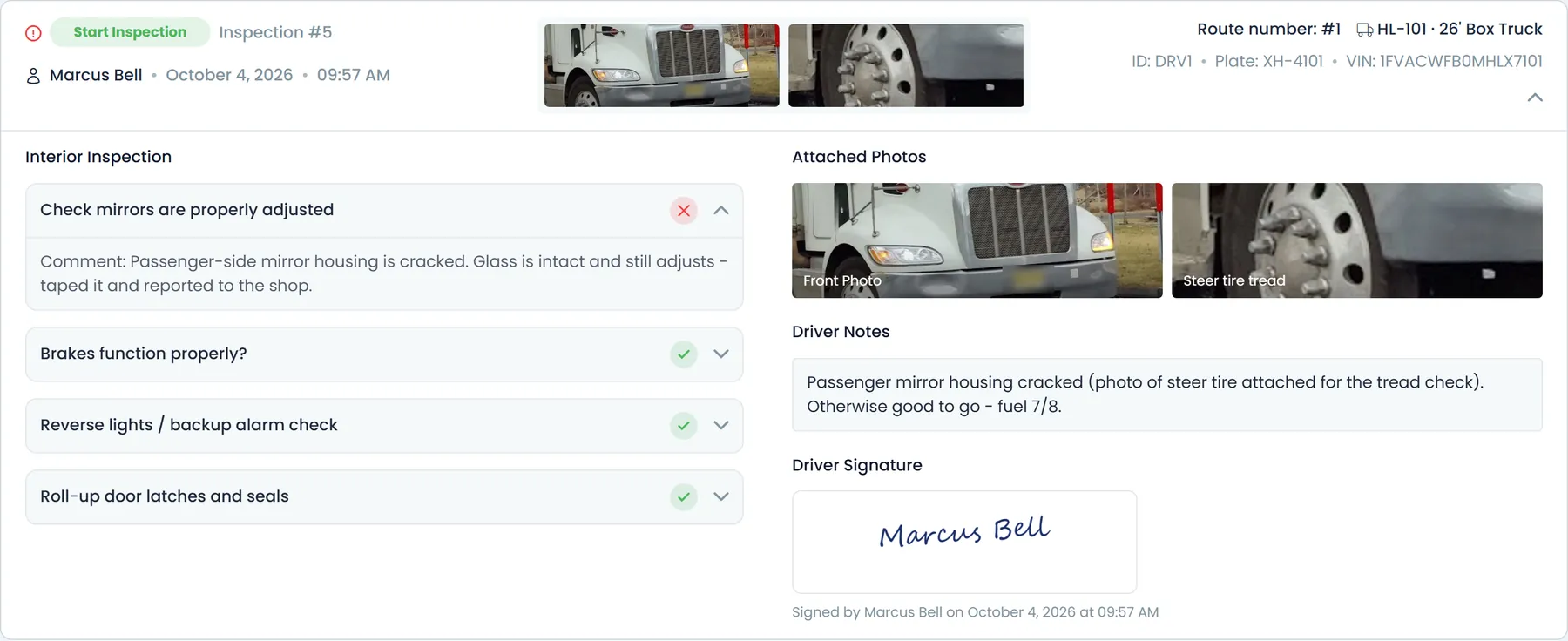
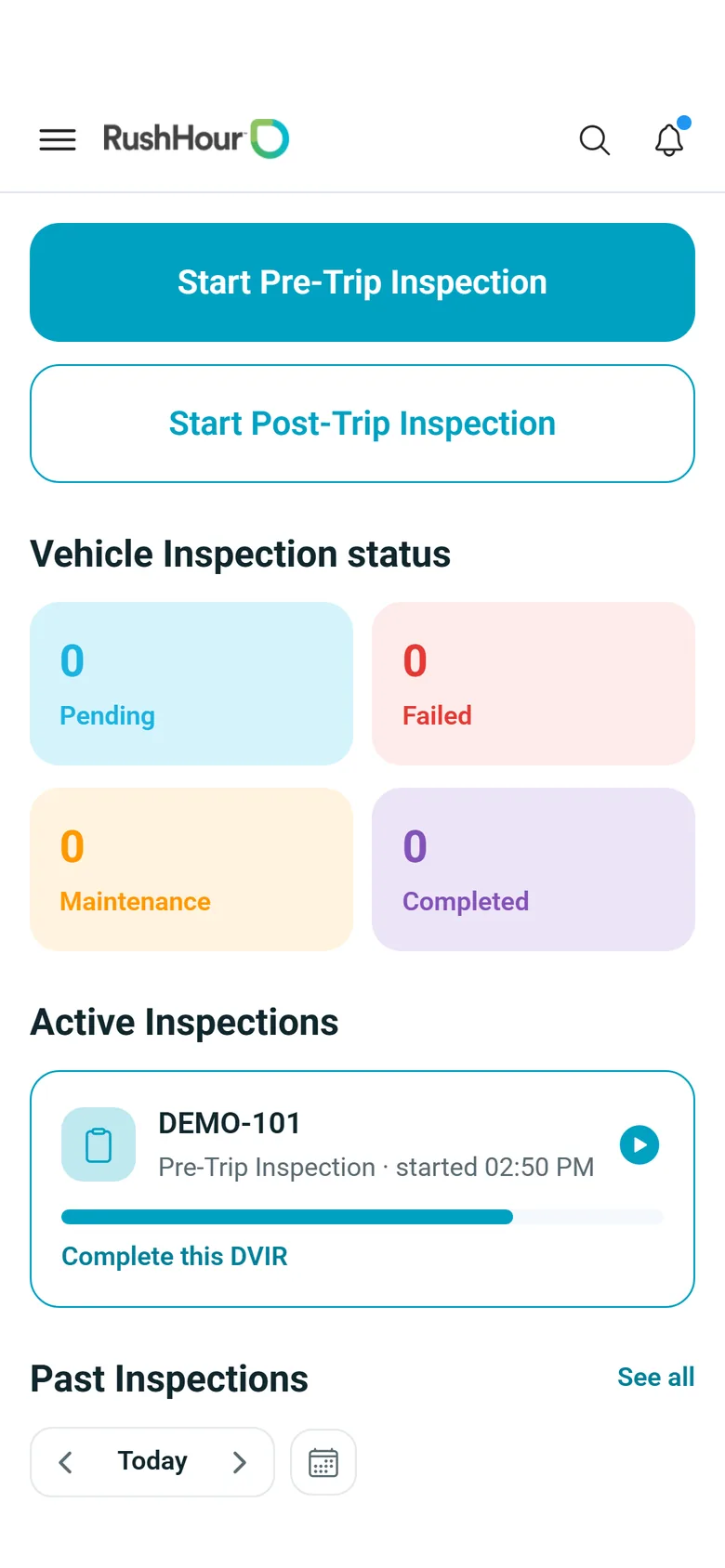
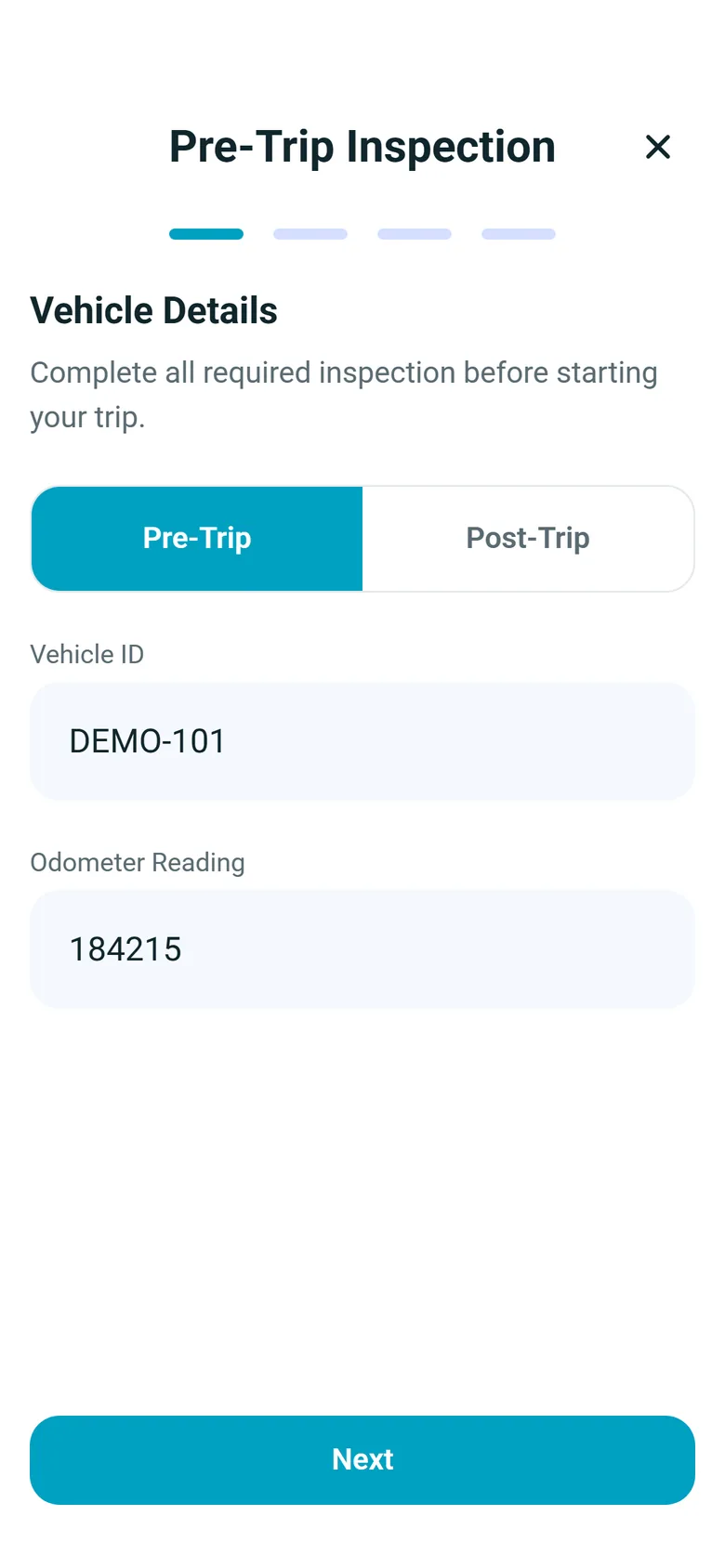
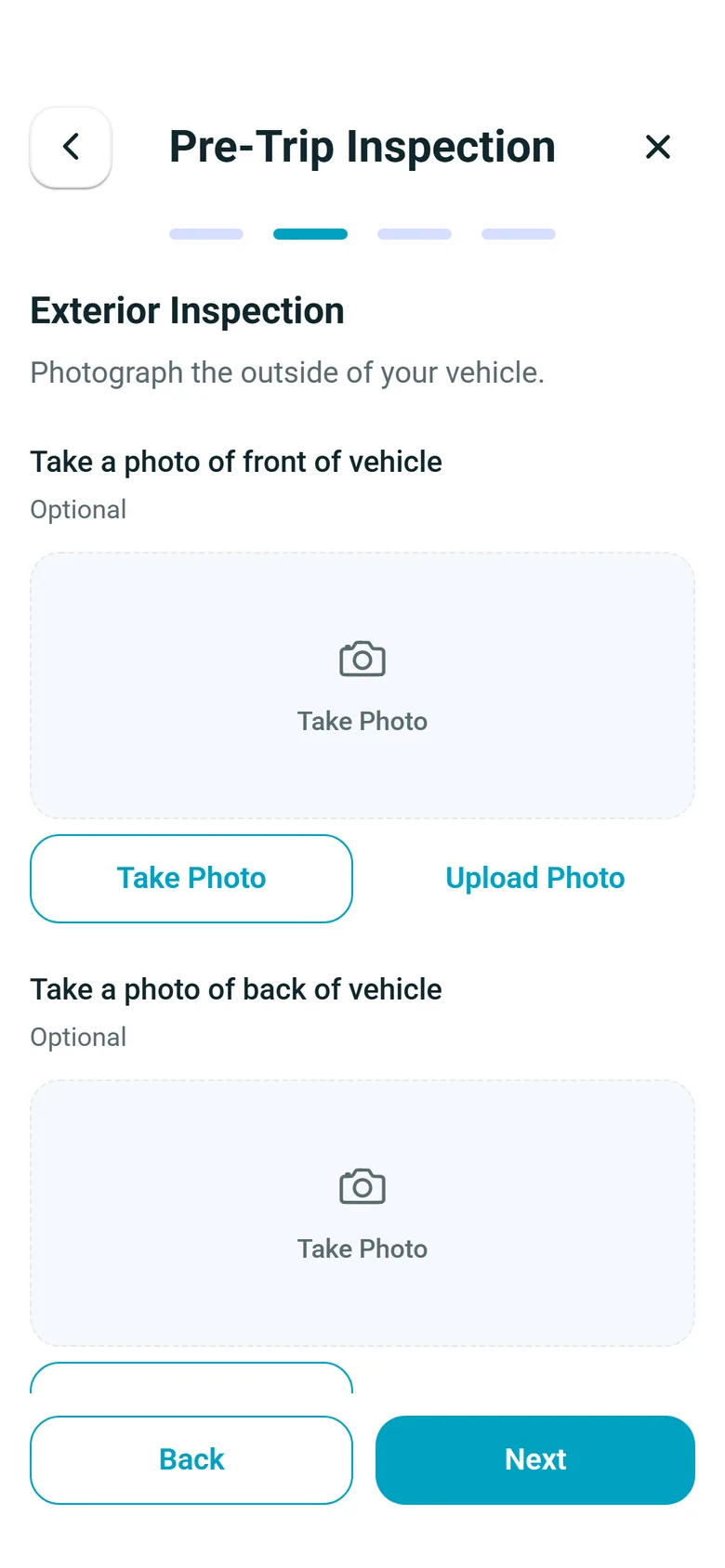
No paper. Drivers start a Pre-Trip or Post-Trip inspection, confirm the vehicle ID and odometer, photograph the truck, mark each check Acceptable or Damaged and sign. A damaged item needs a comment, and the driver can add a photo of it. By default the app reminds drivers to inspect at the start of the shift and asks for the end-of-shift inspection when they end the day; the reminder does not block stops. In Settings > Driver App you choose the steps, decide which photos are required and add your own yes/no checks. The office sees every inspection in Settings > Fleet > Truck inspection logs: one fleet-wide list per day, searchable by driver or truck, with pass or fail on each check next to the driver's photos and comments.
- Photos, comments, plate number and the driver's signature
- Start-of-shift reminder and end-of-shift sign-off by default, with your own yes/no checks
- Daily fleet inspection log in the Portal, searchable by driver or truck
- A new pre-trip prompt when the route's truck is not the one inspected today
- An unfinished inspection resumes where the driver left off
Your checklist
You decide what the inspection asks
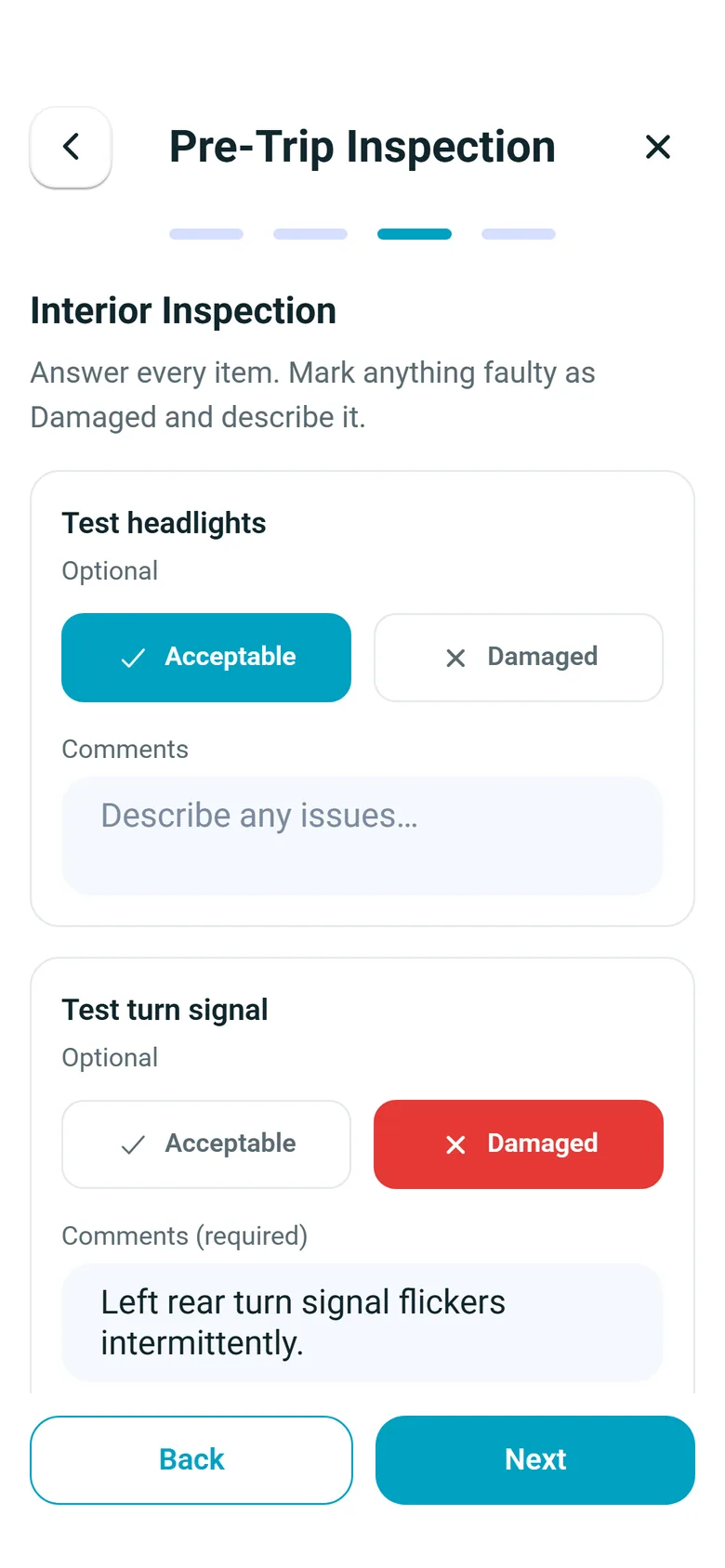
In Settings > Driver App > Flow, the Start of Shift section lists the inspection steps: the license plate, front and back photos, the vehicle checks and the signature. Switch each step on or off, drag to reorder, mark each photo Required or optional, and use Add Custom Part for a yes/no check of your own, which drivers answer like the built-in checks, with a comment when something is wrong. The license plate and the signature are always required. Phones pick up the change without an app update.
- Steps switched on or off and reordered, each photo Required or optional
- Your own yes/no checks, with a comment from the driver when something is wrong
- Require DVIR at start of shift and at end of shift, both on by default
Hours of service
Hours-of-service (HOS) logs in the app drivers already use
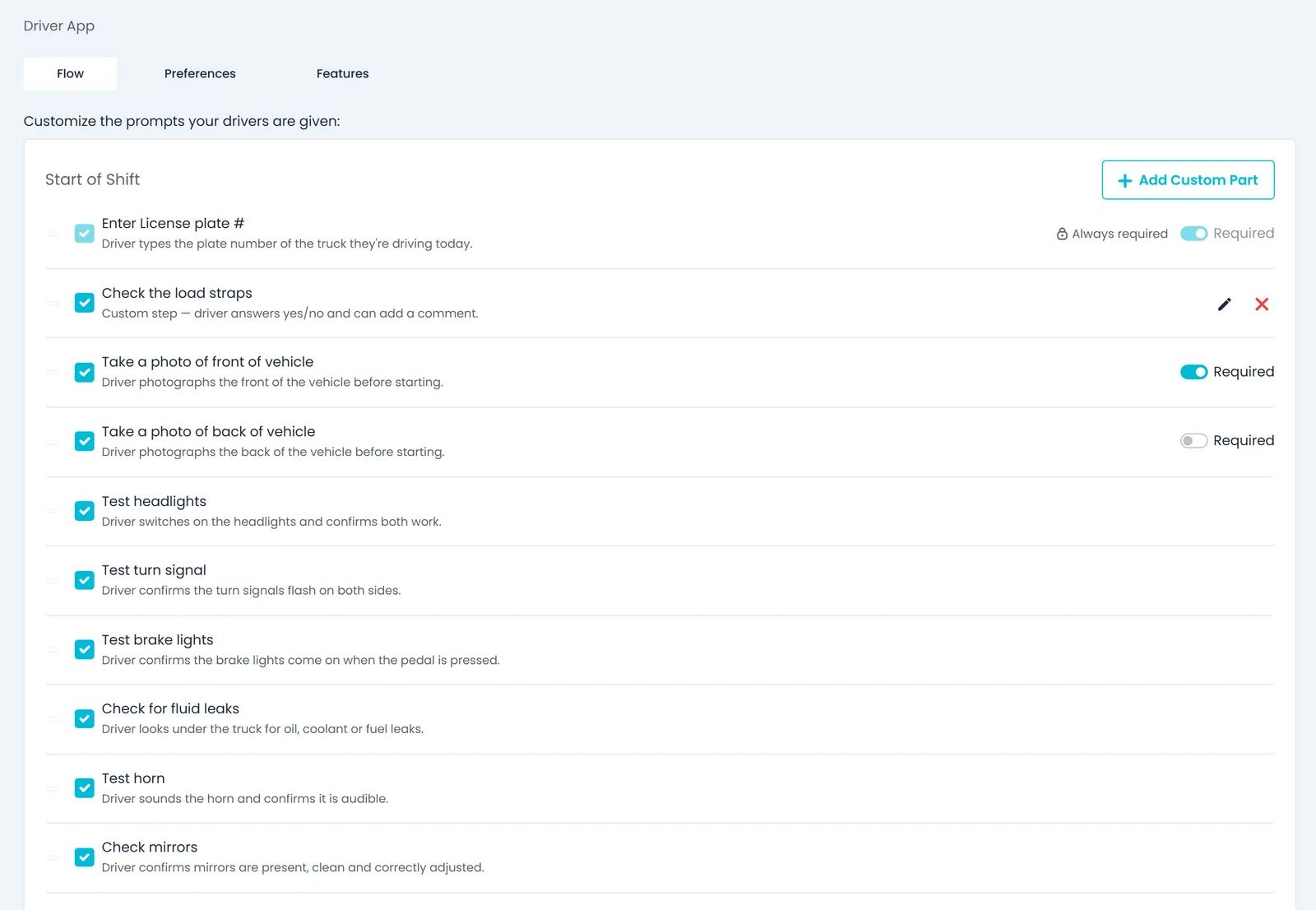
With hours of service switched on (the default), drivers set their duty status on the phone and see their clocks against the US FMCSA property-carrying rules: 11 hours of driving, the 14-hour window, a 30-minute break after 8 hours of driving and the 60-hour/7-day cycle. RushHour warns the driver in the app and by push notification at 7.5 hours of driving, at 10.5 hours into the window, before the break is due and as the weekly cycle runs low. Changes made without signal are kept on the phone and sent when it returns; for now they are logged at the time they reach RushHour. At a roadside inspection the driver can email up to 14 days of logs to the inspector.
- Drive, shift, break and cycle clocks on the driver's phone
- Warnings before a limit, in the app and by push
- Up to 14 days of logs emailed to an inspector
- Driver-logged hours, not a certified ELD
- Status changes made without signal kept and sent in order
Duty log
Every status change is logged with where it happened
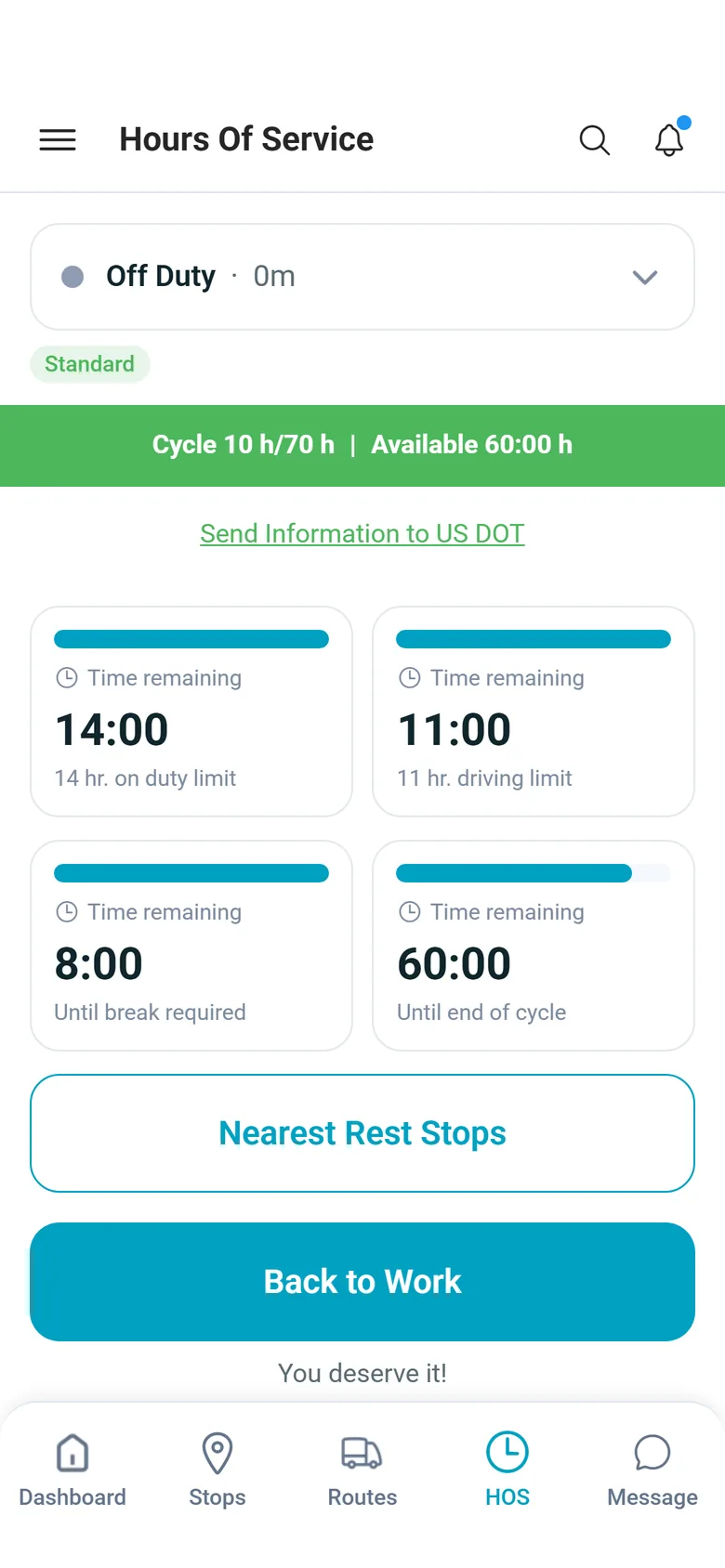
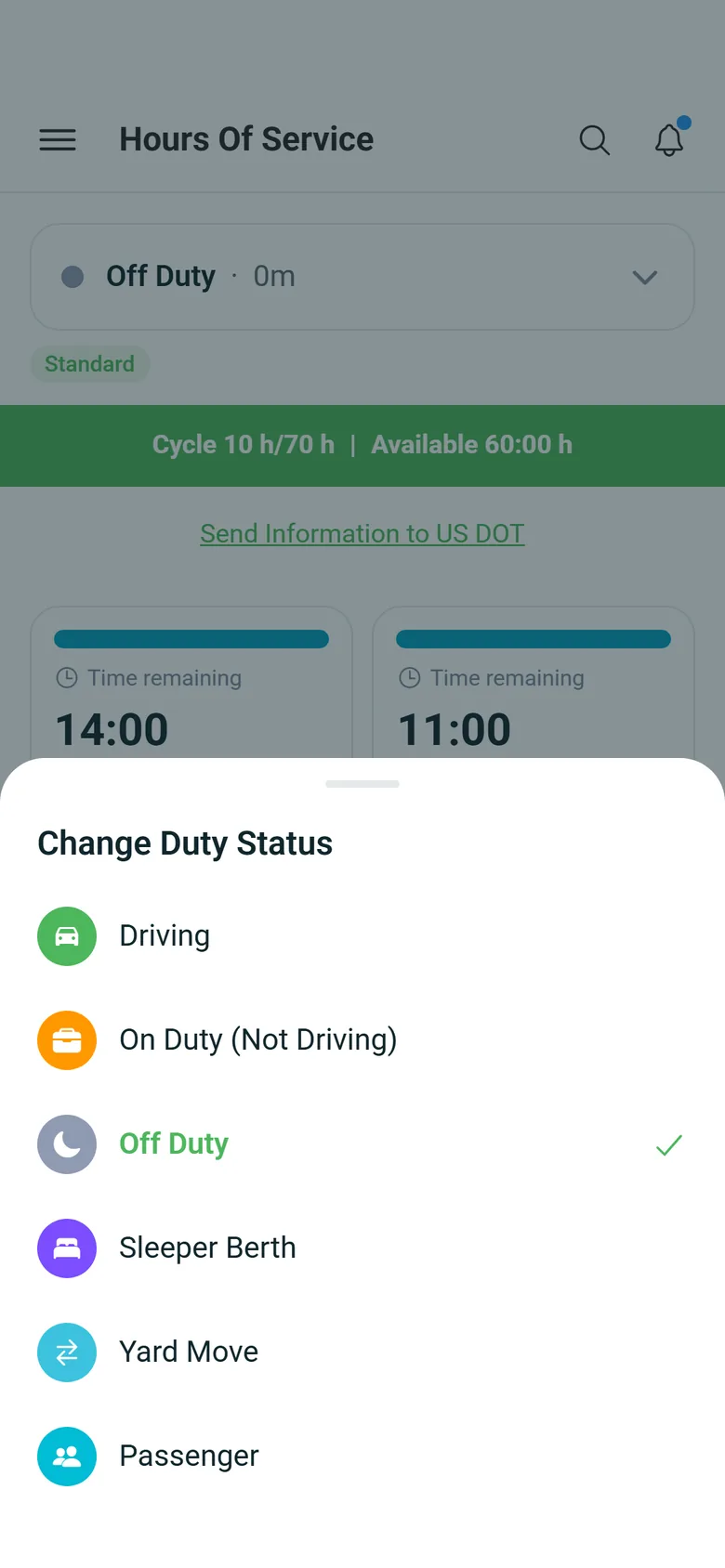
Drivers switch between Driving, On Duty (Not Driving), Off Duty and Sleeper Berth from the status sheet on the HOS tab, or use Start Break to go Off Duty and Back to Work to return to On Duty (Not Driving). Each change saves the driver's GPS position; without a location the change is not saved. The tab shows a daily summary, with driving, on-duty and off-duty time, the longest continuous drive and that day's violations, and a status timeline for the dates the driver picks.
- GPS position saved with every status change
- A daily summary with the day's violations
- A status timeline for any range of dates
Driver issue reports
A safety concern is reported from the road, with the photo attached
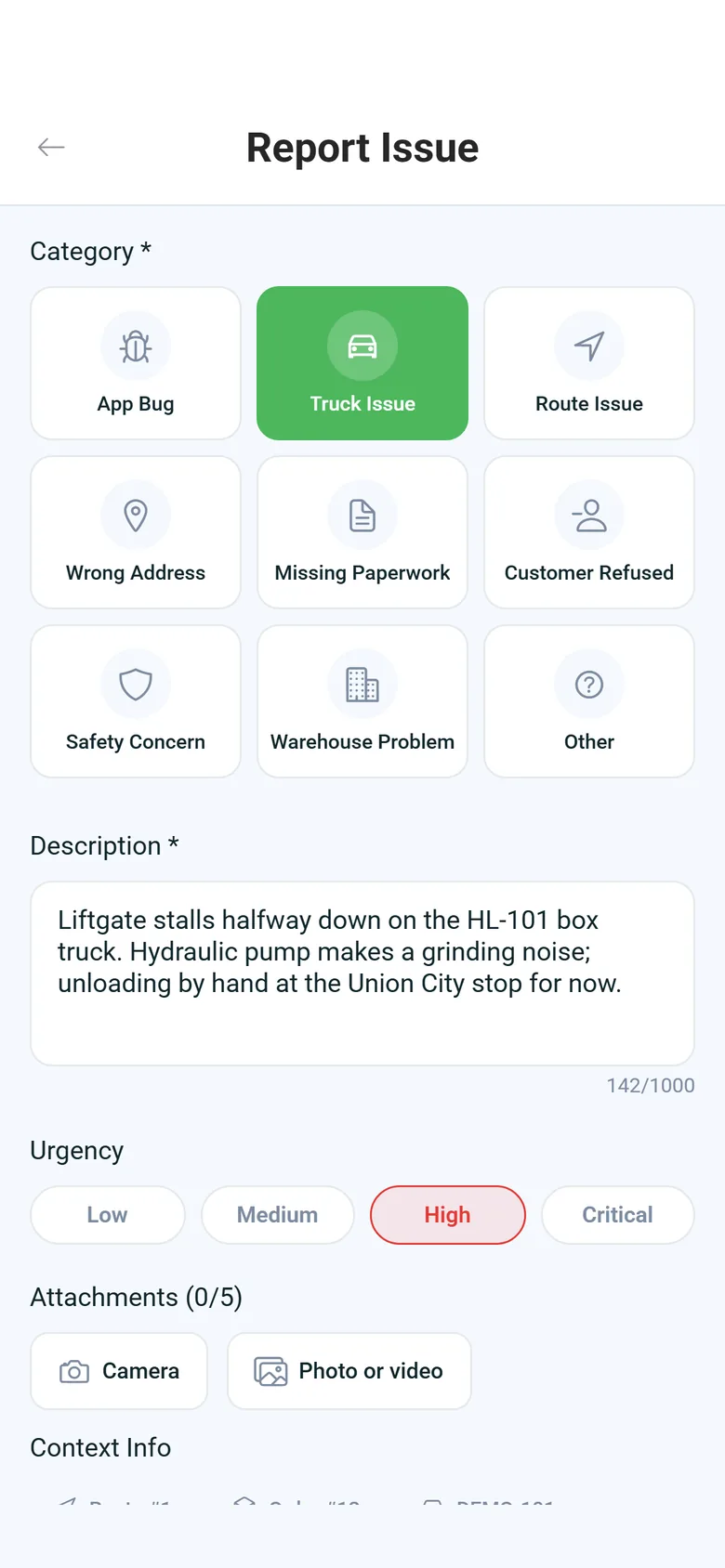
In the driver app on Android and iPhone, drivers report a problem by picking a category (safety concern, truck issue, route issue, wrong address, missing paperwork, customer refused, warehouse problem, app bug or other), setting its urgency from Low to Critical, describing it in up to 1,000 characters and adding up to 5 photos or videos. The app attaches their location and the route, truck and stop they are on, and drivers can follow the status of each report. Issue reporting is on by default; the office can switch it off in the Portal under Settings > Driver App, and the switch applies on both Android and iPhone. The office handles these reports on the Driver Issues page (see below).
- Safety, truck, route and delivery categories with Low to Critical urgency
- Photos, location, route, truck and stop attached to the report
- Issue reporting is on by default; the office can switch it off in Settings > Driver App
- Up to 5 photos or videos from the camera or gallery
- A My Issues list filtered by status, category, urgency and date
Fuel & IFTA
Fuel purchases recorded with gallons and state
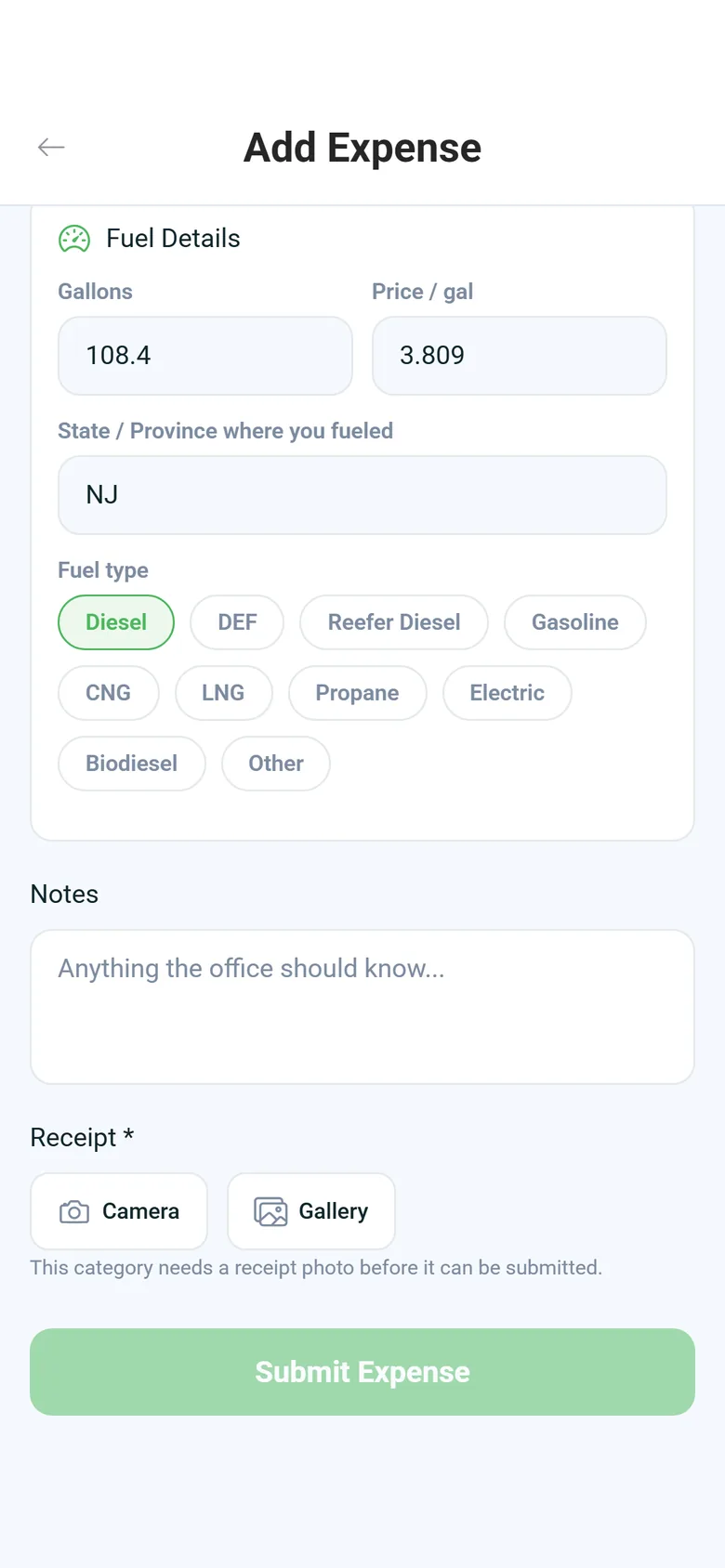
In the driver app, on Android and iPhone, drivers add fuel with gallons, price per gallon, fuel type and the state or province where they filled up, and attach a photo of the receipt. If the two-letter state is missing, the app warns that the fuel cannot be claimed for IFTA. Without signal, the entry and the photo wait on the phone and upload later. In the Portal the office can upload the receipt instead: RushHour reads the gallons, price, fuel type and state off it, and someone checks the fields before saving. Each fuel row carries an IFTA-eligible flag set from its expense category and lands in the expense ledger, where the office approves or rejects what drivers submit. RushHour keeps these fuel records; it does not prepare the quarterly IFTA return.
- Gallons, price, fuel type and state on each fuel entry
- Receipts read by AI and reviewed before saving
- IFTA-eligible flag on each fuel row (no quarterly return)
- Fuel types from diesel, DEF and reefer diesel to CNG, LNG, propane and electric
- Receipt photo attached; entries wait on the phone without signal
Records on request
The records an auditor asks for, already kept
When an auditor asks, the records are already in RushHour. Settings > Fleet > Truck inspection logs shows each day's inspections with the route, the truck's plate and VIN, every check and comment, the photos, and who signed and when. Drivers email up to 14 days of hours-of-service logs from the HOS tab, and every send is recorded. Settings > Activity Logs records the creates, edits and deletes signed-in users make: who did it, which action, which record, when, and whether it went through. Events are kept for 365 days and can be filtered by date and searched. Orders and quotes also have an Audit log tab with each changed field's old and new value, and inspections keep their photos, comments and signature. Admins can ask the AI assistant for inspections by status, driver issues by urgency and category, or one driver's duty-status history.
- 365-day activity log of creates, edits and deletes
- Field-by-field audit history on orders and quotes
- Inspection, issue and hours reports from the AI assistant
- Daily inspection log with photos and signatures
- Every roadside log email recorded
On the driver's phone
A pre-trip inspection, start to finish
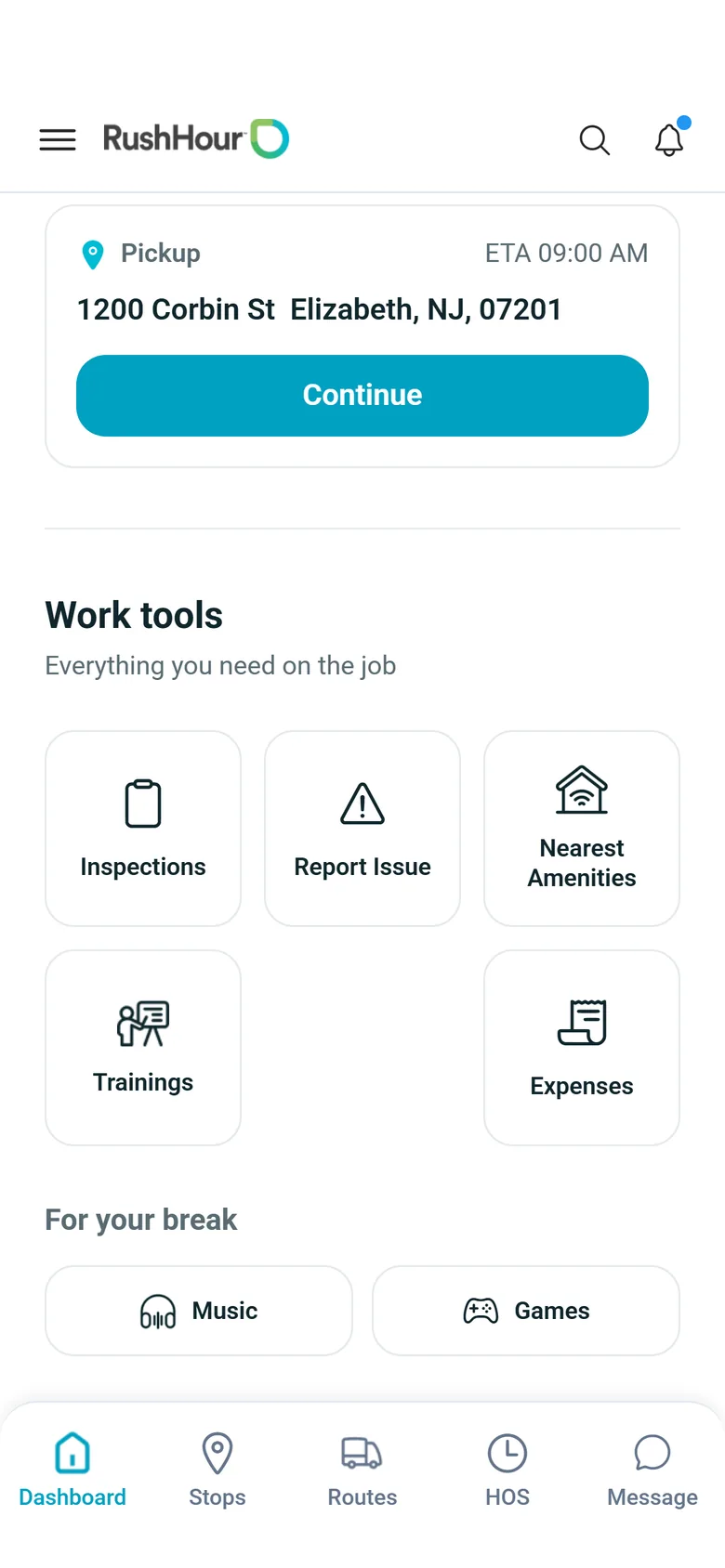
Drivers open Inspections from the Dashboard, start a Pre-Trip or Post-Trip inspection, confirm the vehicle and odometer and photograph the truck. The checklist and the signature, shown above, finish it.
Hours-of-service rules
The limits RushHour tracks, and when it warns
RushHour works out each driver's clocks from their duty log against the US property-carrying rules. The same 60-hour/7-day cycle applies to every driver.
11 hours of driving
Warning at 7.5 hours of driving in the shift.
14-hour on-duty window
Counted from the start of the shift, with a warning at 10.5 hours. 10 hours off duty or in the sleeper berth starts a new shift.
30-minute break
Due after 8 hours of driving, with a warning at 7.5 hours of continuous driving. 30 minutes in a row in one non-driving status count as the break.
60 hours in 7 days
A rolling 7-day total of driving and on-duty time, recalculated every hour, with a warning at 55 hours.
For audits and inspections
What you can show an auditor
Records RushHour keeps as the work happens, ready when someone asks for them.
Daily inspection log
Settings > Fleet > Truck inspection logs: pick a day, search by driver or truck, and open each inspection's checks, comments, photos and signature.
Hours-of-service logs
Up to 14 days of duty-status logs and daily summaries, emailed from the driver's HOS tab, with every send recorded.
Driver reports
Each issue report keeps its category, urgency, photos or videos, location, truck and route, and its current status. Today admins ask the AI assistant for them.
Fuel by state
Fuel expenses with gallons, price per gallon, fuel type, state, the IFTA-eligible flag and the receipt photo.
365-day activity log
Sign-ins and the creates, edits and deletes users make, with who, what, when and whether it went through, plus automated actions such as emails sent.
Order history
The Audit log tab on every order and quote, with each changed field's old and new value and who changed it.
Plain limits
What RushHour is not
Where RushHour stops, so you know what else you need.
Not a certified ELD
Drivers log duty status on the phone, and nothing is read from the engine. RushHour does not replace an ELD.
Not an IFTA filing tool
RushHour keeps fuel records by state. It does not calculate miles by state or prepare the quarterly IFTA return.
Email, not an FMCSA transfer
Logs reach the inspector by email, not through FMCSA web services or USB, and inspection (DVIR) records are not included.
Not a maintenance systemNew in the October 2026 release
Drivers report truck problems in the app and the office answers them on the Driver Issues page, but RushHour does not create repair work orders or schedule maintenance.
Which phones
The same driver app on Android and iPhone
Every driver-app feature on this page is in the current RushHour driver app 2.x on Google Play and the App Store. Version 2.0.12 was the first 2.x version on the App Store.
Android and iPhone
Start- and end-of-shift inspections with photos and signature, hours-of-service clocks and warnings, issue reports, and emailing logs to an inspector.
Set up once, for both
Your own inspection checks and required-step settings, inspection drafts that pick up where the driver left off, and fuel and expense entry work the same on both. iPhone drivers got them with version 2.0.12 from the App Store.
FAQ
Compliance questions
Is RushHour a certified ELD?
No. Drivers log their own duty status in the RushHour driver app, and nothing is read from the truck's engine. RushHour keeps the duty log, works out the clocks and warns drivers before a limit, but it is not a certified electronic logging device (ELD) and does not replace one.
Does the app stop a driver who skips the pre-trip inspection?
No. With Require DVIR at start of shift on, which is the default, a driver who has a route and no pre-trip inspection yet sees a reminder banner on the Dashboard and the Routes map, but stops are not blocked. With Require DVIR at end of shift on, also the default, the end-of-shift inspection is part of ending the day in the app.
Can we add our own inspection checks?
Yes. In Settings > Driver App > Flow, Add Custom Part adds a yes/no check to the start-of-shift inspection. Drivers answer it like the built-in checks, Acceptable or Damaged, and a Damaged answer needs a comment. You can also switch built-in steps off, reorder them and choose which photos are required; the license plate and the signature are always required.
Which hours-of-service rules do the clocks follow?
The US property-carrying rules: 11 hours of driving, a 14-hour on-duty window, a 30-minute break after 8 hours of driving, and the 60-hour/7-day cycle, which applies to every driver. 10 hours off duty or in the sleeper berth starts a new shift.
What can a driver send at a roadside inspection?
On the HOS tab the driver taps Send Information to US DOT, picks up to 14 days (the last 8 are filled in) and enters the officer's email address. RushHour emails the duty-status log and daily summaries for those days and records the send. It is an email, not an FMCSA web-services or USB transfer, and inspection (DVIR) records are not included.
What happens when a driver changes duty status without signal?
The app keeps every change on the phone, not only the last one, and sends them in the order they were made when it sees signal return with the HOS tab open. For now, each change is logged at the time it reaches RushHour, not the time it was made.
Does RushHour prepare our IFTA return?
No. RushHour keeps fuel purchases with gallons, price per gallon, fuel type and the state where the driver fueled, and flags IFTA fuel by expense category. It does not calculate miles by state or prepare the quarterly IFTA return.
Where does the office see inspections and driver reports today?
Inspections are in the Company Portal under Settings > Fleet > Truck inspection logs, one list per day. Driver issue reports are on the Driver Issues page, with their photos, location and status, where the office replies to drivers and changes a report's status, and admins can also ask the AI assistant for them by urgency and category.
Do iPhone drivers get all of this?
Yes. Every driver-app feature on this page is in the current RushHour driver app 2.x on Android and iPhone, from Google Play and the App Store. The app's screens are in English.
Go deeper
Recently added
The office view of hours and driver reports
Two Portal screens show the hours drivers log and the problems they report in the driver app. Admins choose which roles can open each screen, and which roles can reply to drivers and change an issue's status. The Hours of Service board shows while hours of service is switched on in Settings > Driver App, which it is by default.
Stop rebuilding inspection and hours records from paper.
In a walkthrough we'll run an inspection and a duty-status change in the driver app, then show the inspection log and the activity log in the Portal.