
Shimon's Express
runs its freight on RushHour.
From New Jersey, Shimon's Express runs pickup and delivery, airport cargo runs and long-haul loads. Its orders have run through RushHour since 2020, and today its dispatch, driver stop photos, invoices and payments sit in the same system.

At a glance
A freight operator running its own box trucks: metro pickup and delivery, airport and CFS recoveries, and long-haul loads. The office builds the orders and routes, drivers work the stops in the driver app, and billing invoices from the closed order.
Disclosure: RushHour was built inside Shimon's Express, and the two companies are connected. This is our founding operator's story, not an independent review.
What has run through RushHour since 2020
Platform-wide figures from the RushHour production database, September 2026, rounded down. Almost all of this volume is Shimon's Express.
Who Shimon's Express hauls for
Shippers whose freight runs through RushHour
Publishing, retail and supply-chain businesses whose pickups and deliveries Shimon's Express dispatches, documents and invoices in RushHour.




These are customers of Shimon's Express, not of RushHour.
How the work runs
From the order to the paid invoice
One order record carries the work from booking to payment. Every product screenshot below comes from a demo company, never from the real customers or orders of Shimon's Express.
Orders
Full loads and pallet freight on the same kind of order
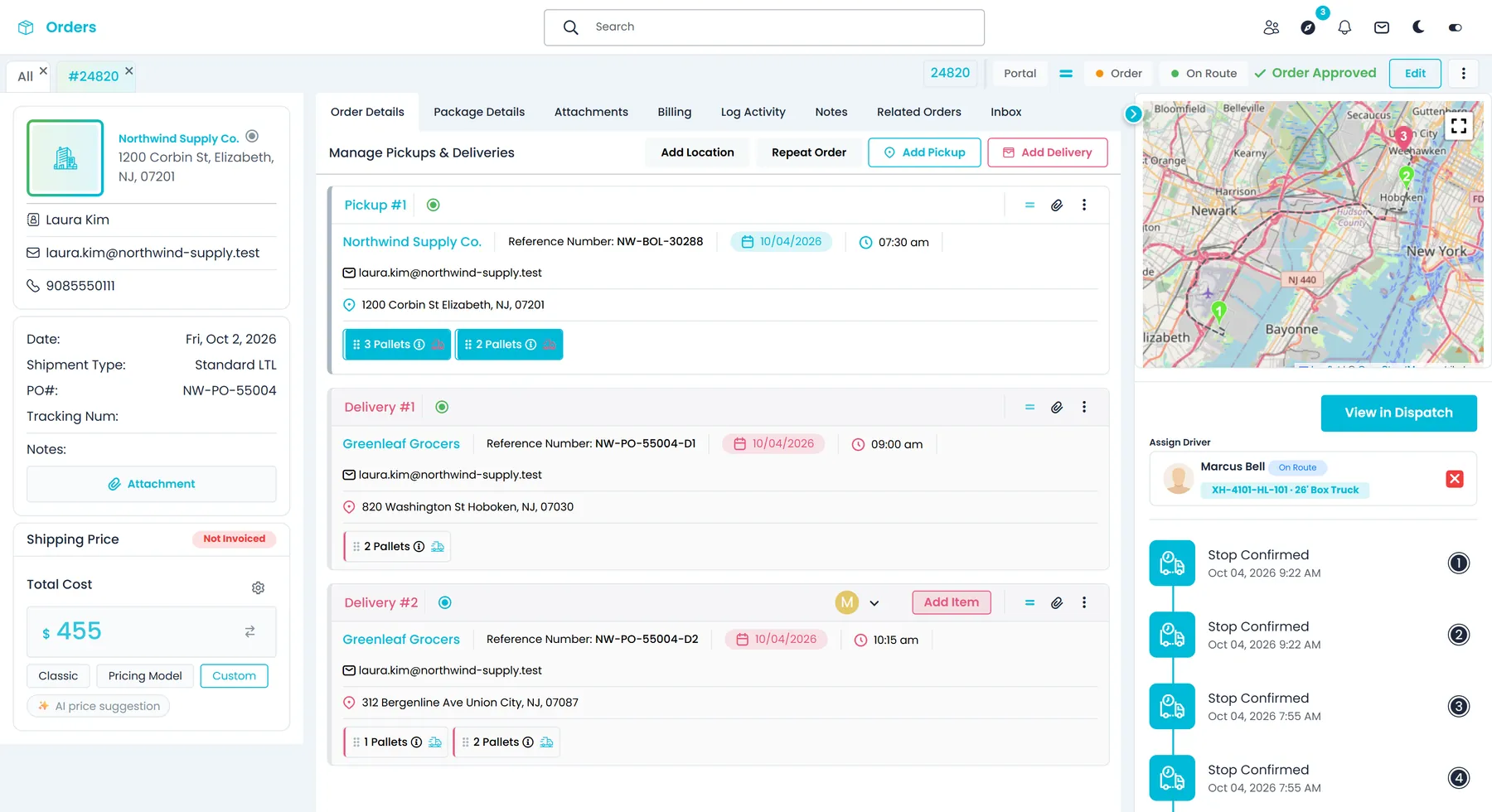
Each order carries its pickups and deliveries and the freight as it ships: a full load, pallets, boxes and crates, bags or other items, whether it is collected from a shipper's dock, a warehouse or an airport CFS. Dispatch, the driver and billing all read from that one record, so nobody re-types the load.
- Full Load, Pallets, Boxes & Crates, Bags and Other item types
- PO and tracking numbers on the order
- BOL and pallet labels generated from the order
- Several pickups and deliveries on one order, with the items split across the deliveries by quantity
- Pallet size on pallet items, weight in pounds or kilograms, and Fragile, Hazardous, Refrigerated or Overweight flags on each item
Dispatch
Routes built on one board, and changed when the day changes
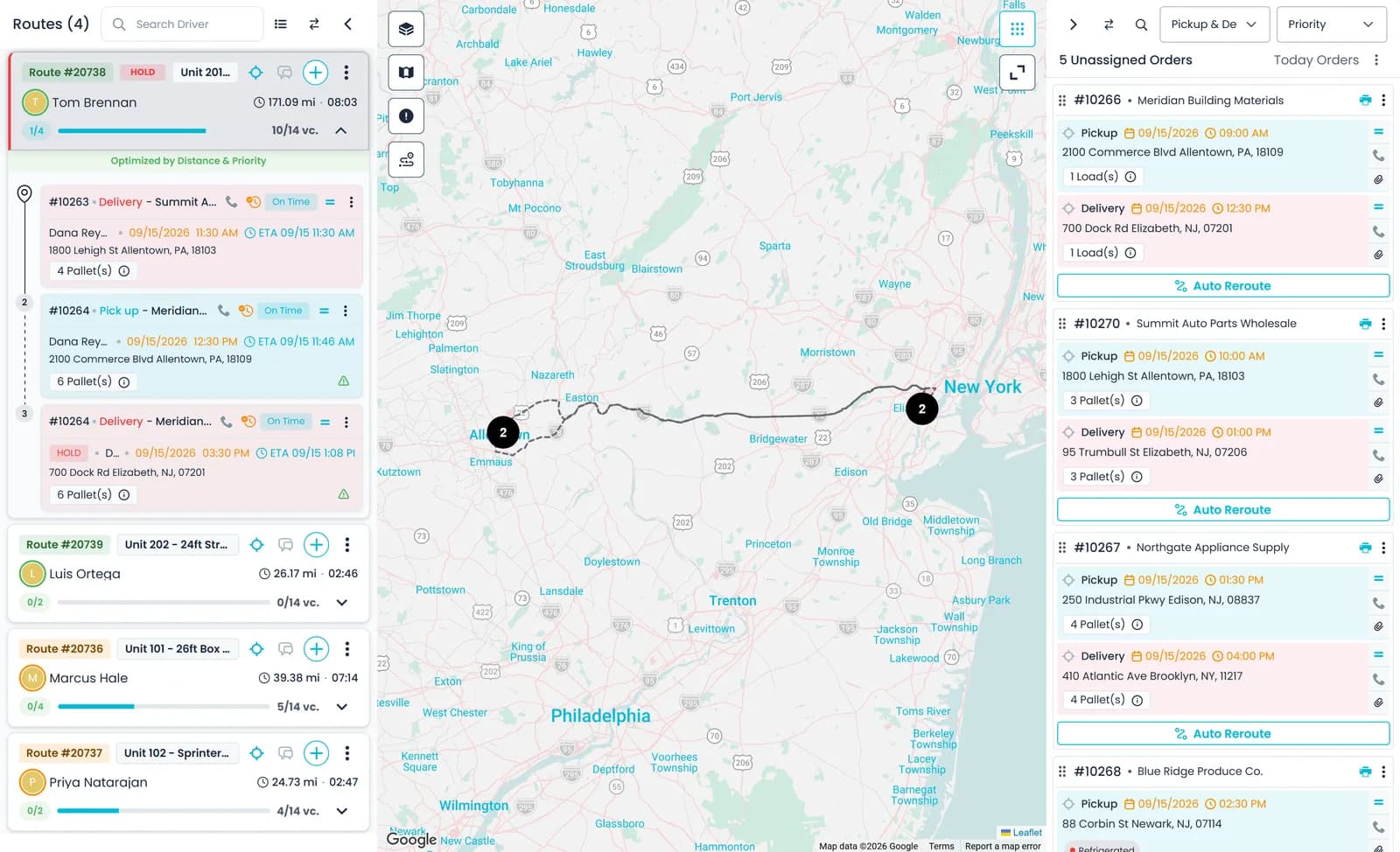
Dispatchers drag orders from the unassigned panel onto driver routes. When plans change, a stop moves to another route or back to the queue, and the driver gets a push notification. Route cards show confirmed stops, and the card menu prints the BOLs and closes the stops at the end of the day.
- Drag orders onto routes from the unassigned panel
- Move stops between routes after dispatch
- Print BOLs and close all stops from the route card
- Move a stop between routes as only that item, the whole order, only the pickups or only the deliveries
Airport and CFS recoveries
The details a cargo terminal asks for, on the stop
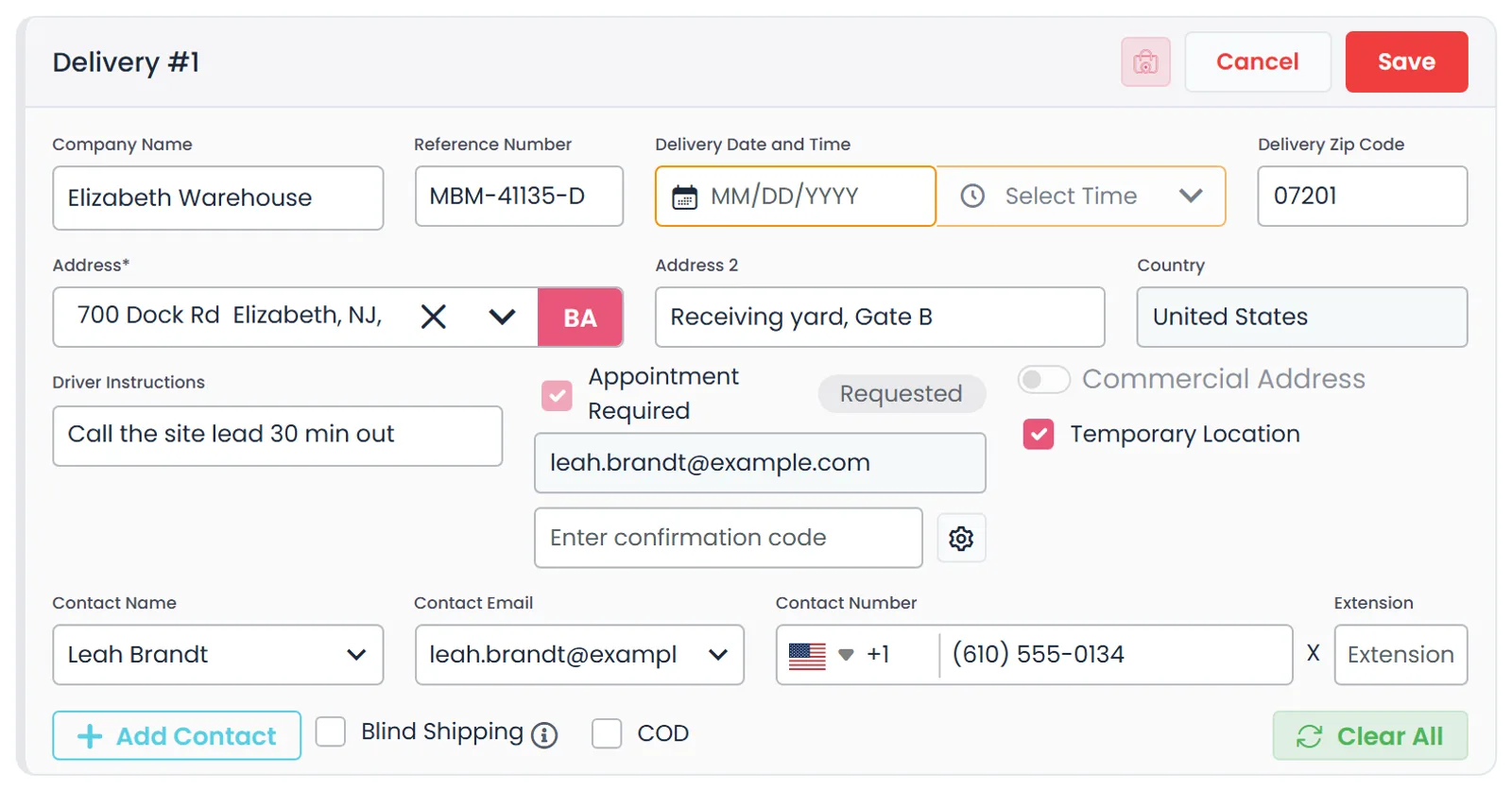
An airport or CFS pickup needs more than an address. Each stop carries its own reference number, a date and time slot, driver instructions and a site contact, and can be flagged as appointment required, with the appointment status and confirmation code kept on the stop.
- Reference number and time slot on every stop
- Appointment status and confirmation code
- Driver instructions and site contact
- Appointment requests emailed to the stop's appointment contact, who picks a date and time on a form with no login
- The reply writes the date and time onto the stop for your dispatcher to approve
- When a customer has no appointment email yet, the address typed on its stop is saved to that customer and fills in on its next stopNew in the October 2026 release
At the stop
Drivers capture the proof in the driver app
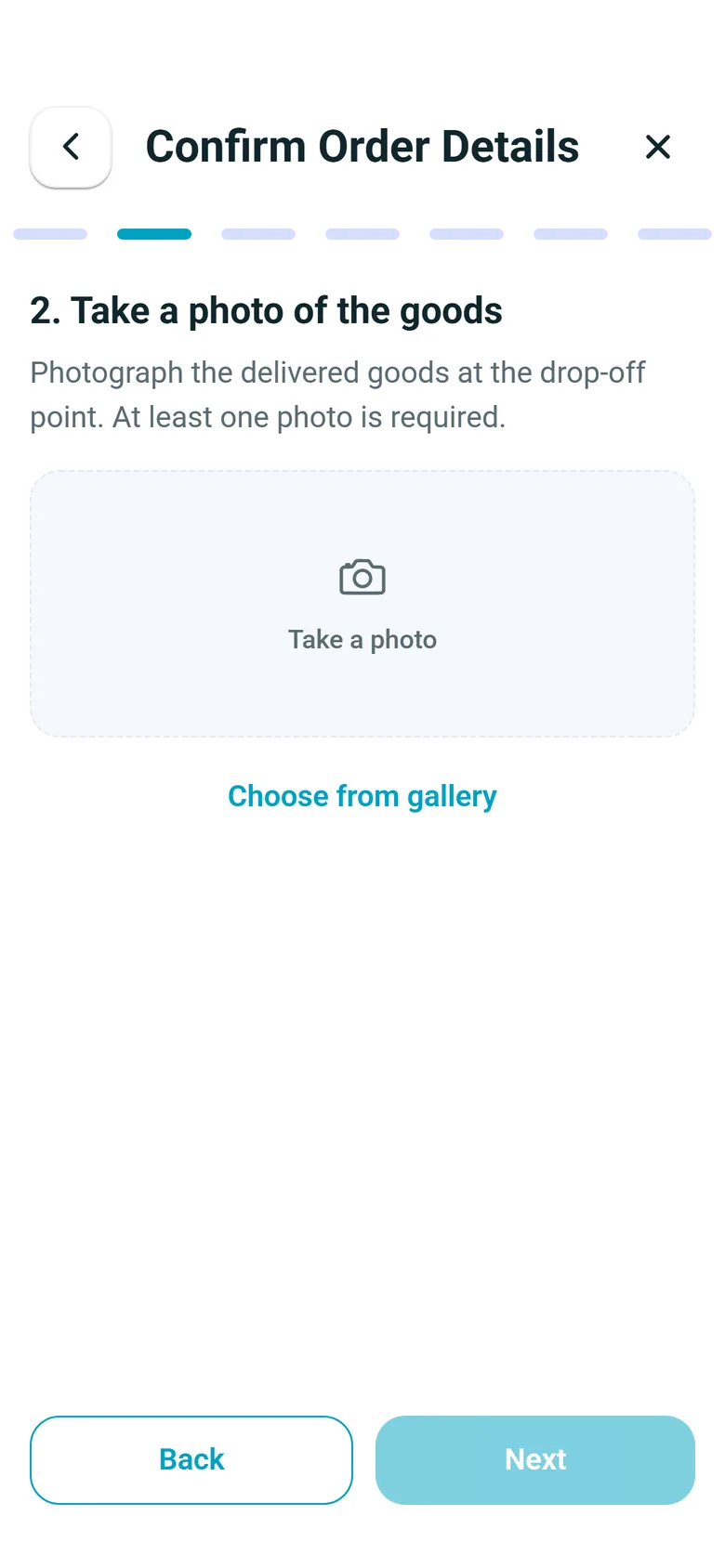
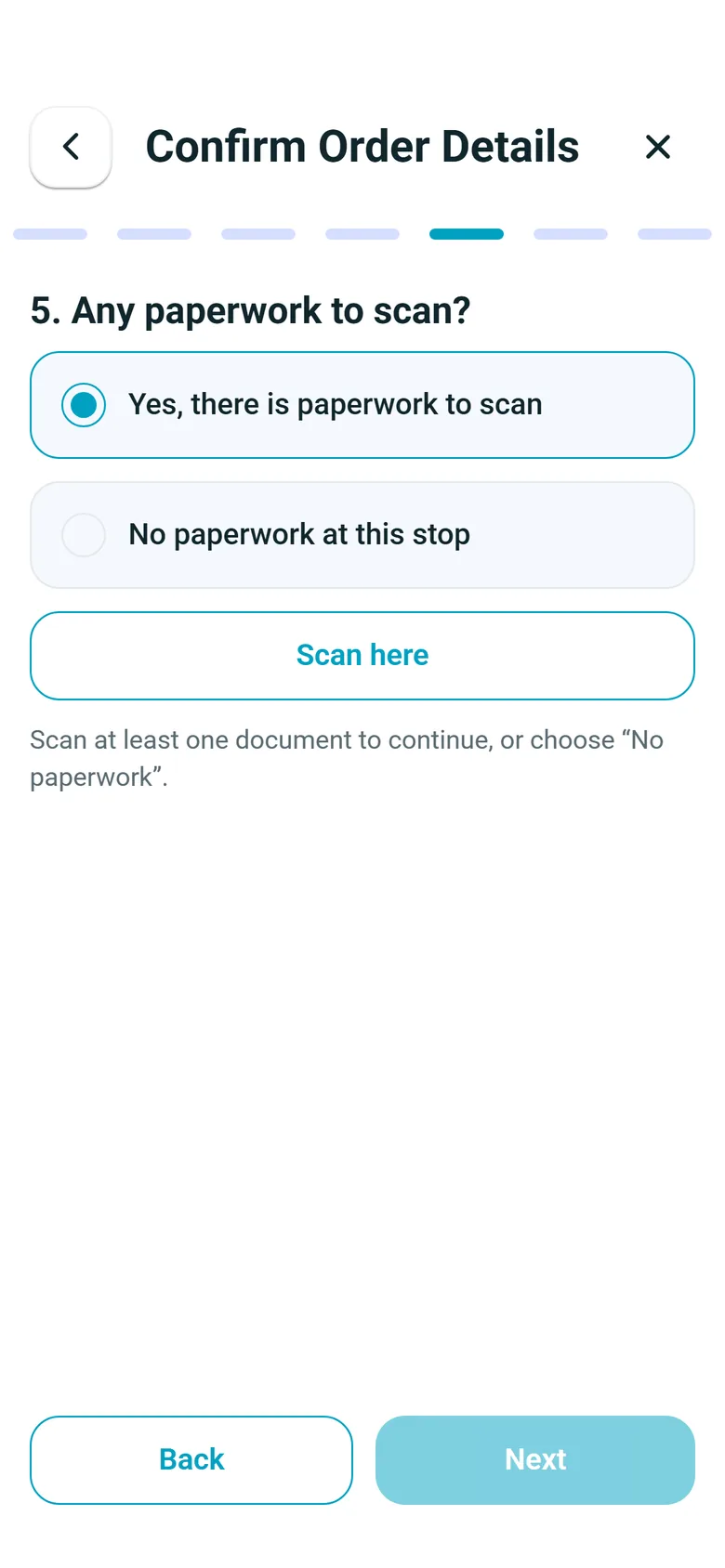
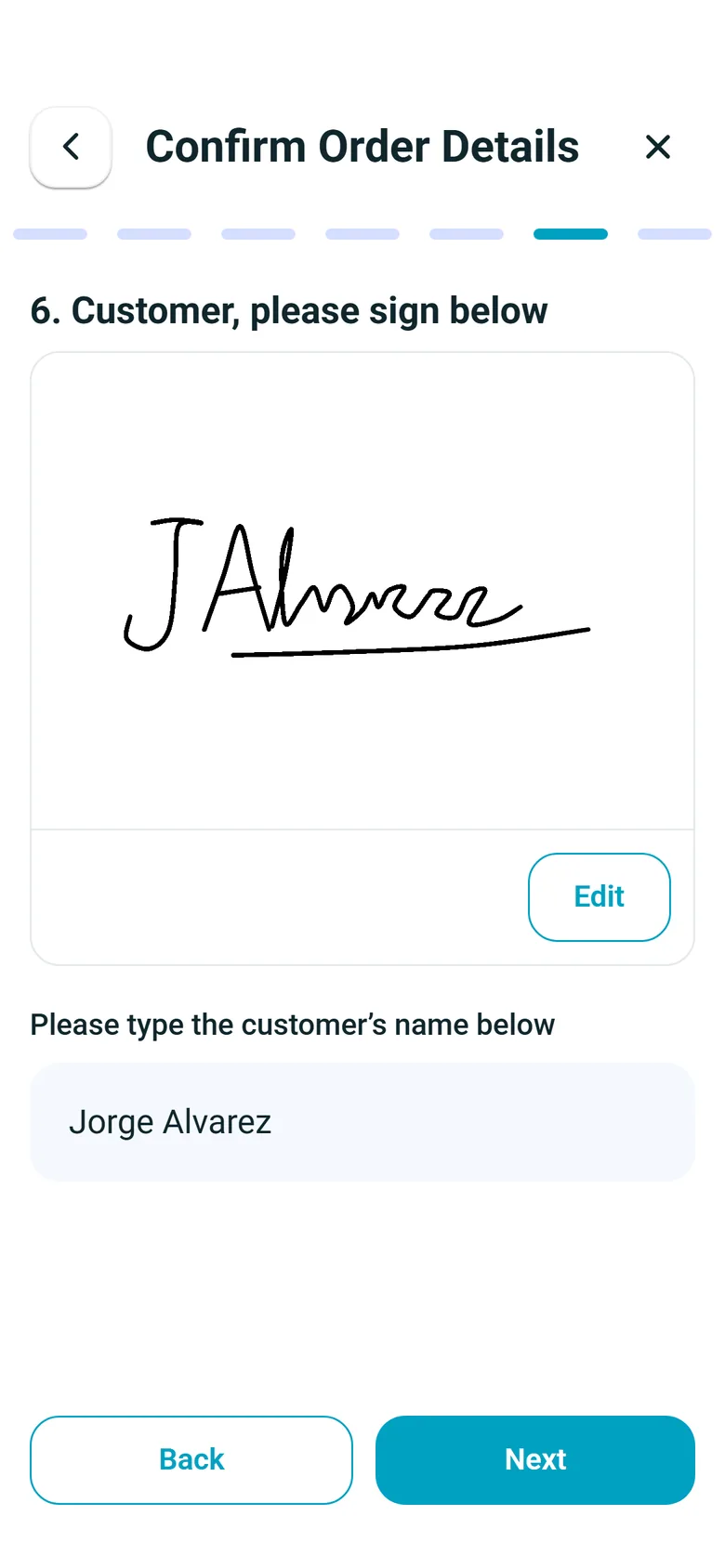
The driver app walks the driver through each stop one step at a time: confirm the items, photograph the goods, scan any paperwork and get the customer's signature on the phone. The photos, the scanned pages and the signature are uploaded to that stop of the order, so the office can open them without waiting for paper to come back.
- Several goods photos per stop, from the camera or the phone's gallery
- Paperwork scanned page by page and saved as one PDF on the stop
- The customer signs on the driver's phone
- By default the app asks for photos and a signature at every delivery; in Settings → Driver App a company can drop either, or stop drivers finishing a stop without them
The driver's side
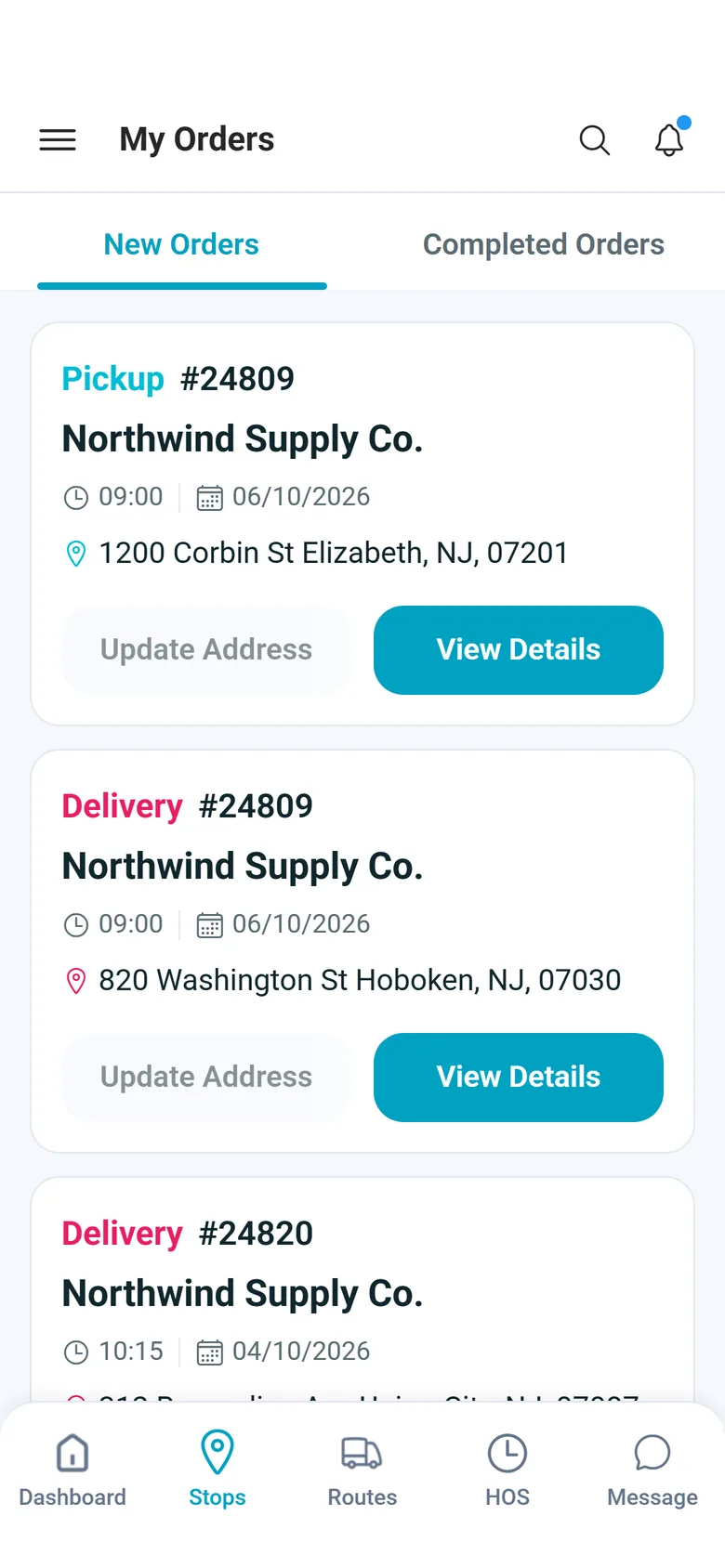
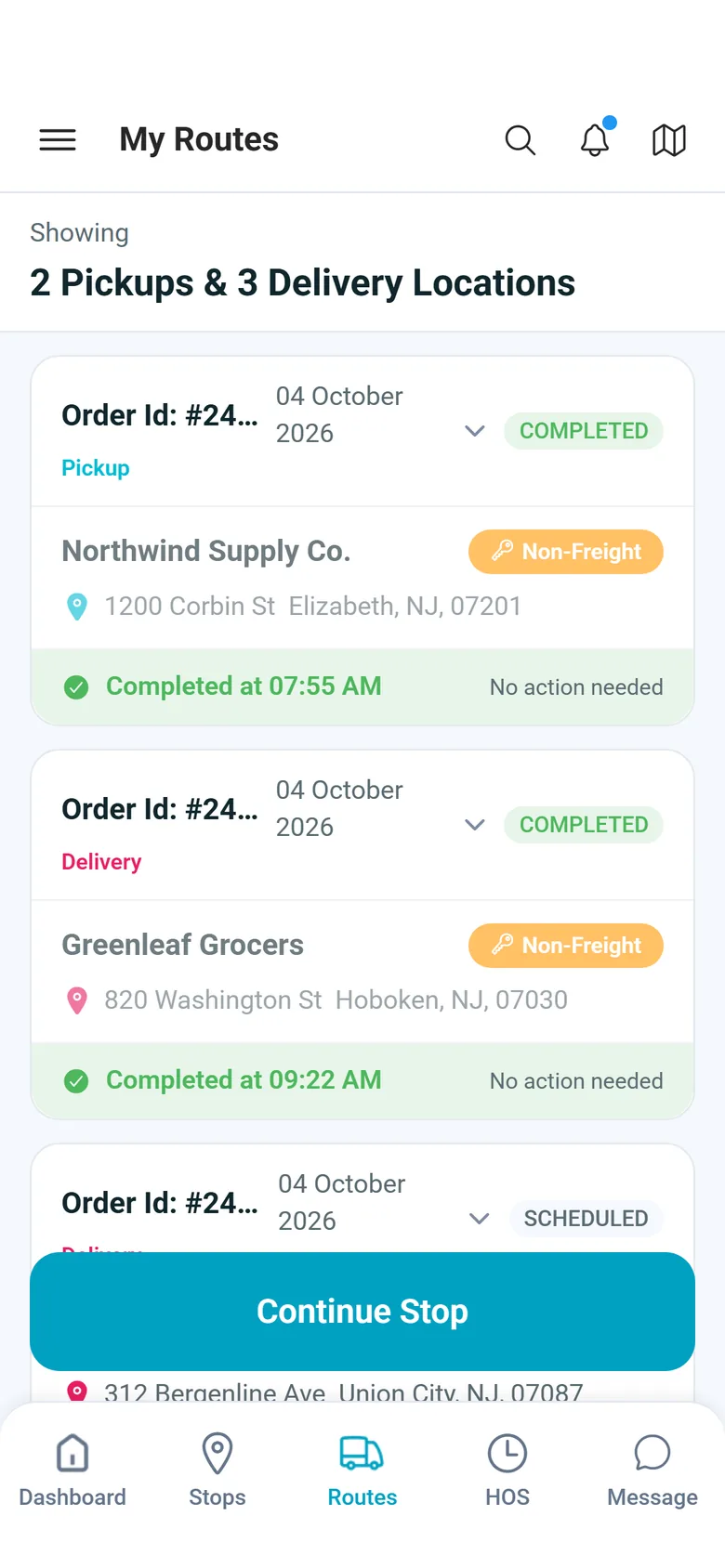
A day of stops in the driver app
Drivers work their pickups and deliveries in the RushHour driver app on iPhone and Android. These screens come from a demo company.
In the office
Every photo and signature is waiting on the order
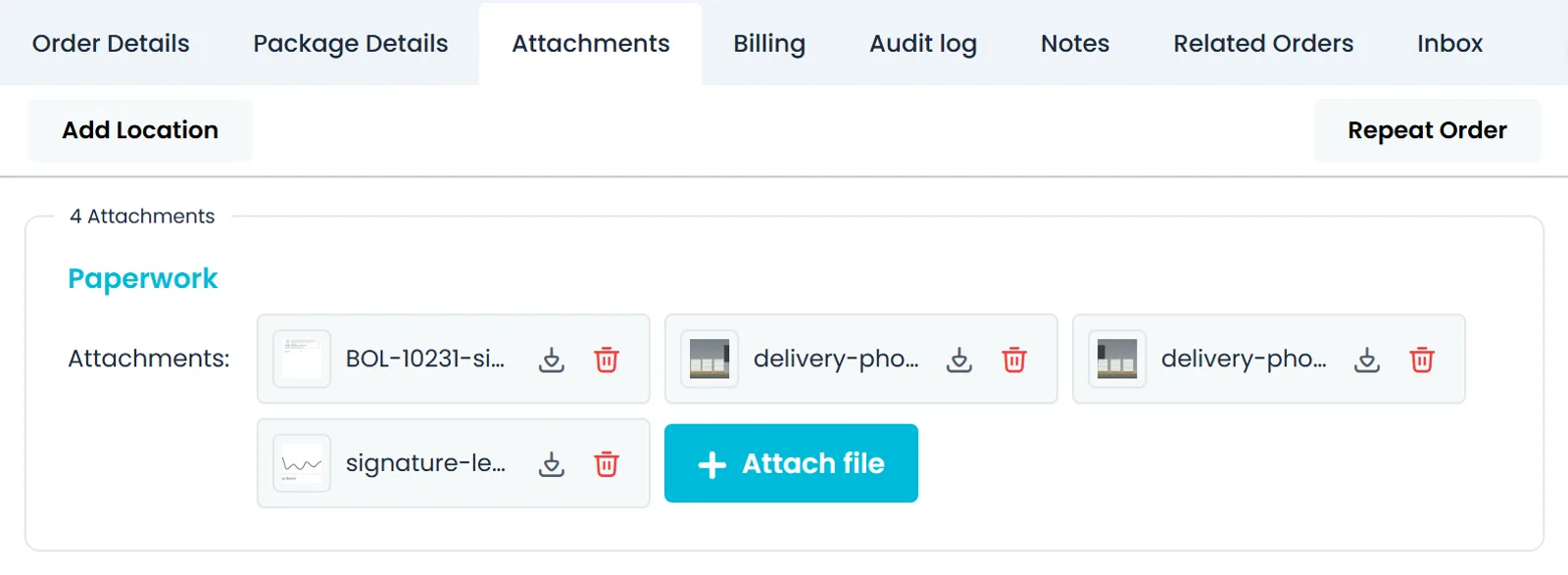
The order's Attachments tab gathers the files from all of its stops under Paperwork: the driver's goods photos, the scanned documents and the signatures, each with a download button. The office adds its own files with Attach file, so a question about a delivery is answered from the order itself.
- Photos, scans and signatures from every stop in one list
- Download any file, or add the office's own with Attach file
- A proof-of-delivery PDF to print, download or email from the order, with arrival and departure times, driver, truck, delivered items, and the signature and photos when captured. Turn on Email proof of delivery on completion in Settings → Driver App to send it to the customer automatically when the driver completes a delivery in the appNew in the October 2026 release
Proof and billing
Stop photos in, order closed, invoice out
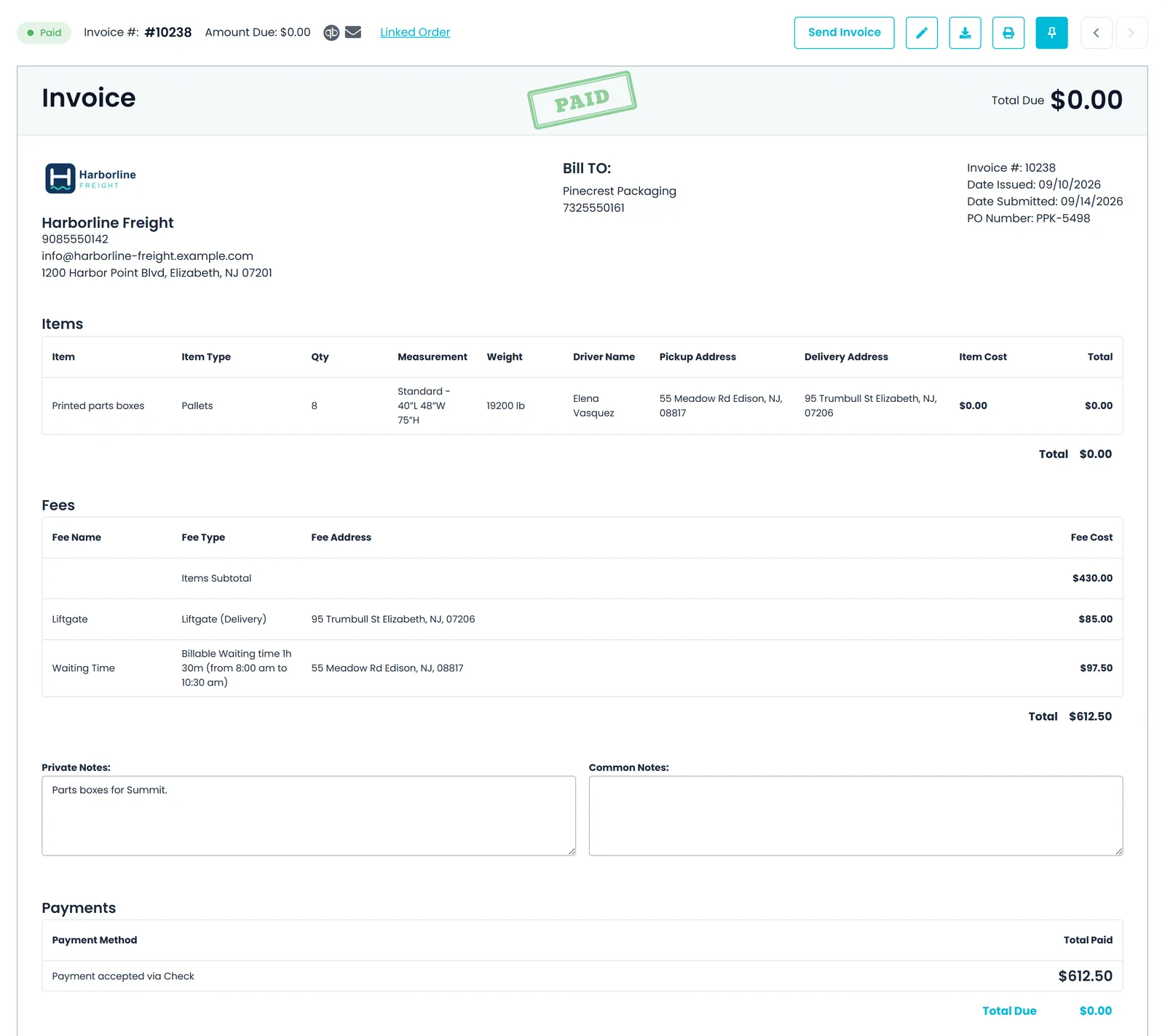
Drivers attach photos to each stop from the driver app, and the office opens them on the order. When the load is done, Close & Create Invoice closes the order and builds the invoice from it. Payments are recorded against the invoice, and card payments can go through Cardknox. Shippers with a Customer Portal login can follow their own orders there.
- Stop photos saved on the order
- Close & Create Invoice in one action
- Payments recorded against the invoice; card payments through Cardknox when it is connected
- Approved invoices go into a QuickBooks Desktop export file for your books
Why this story matters
Shimon's Express runs the kind of mixed freight operation that punishes patchwork software: several service lines, airport and long-haul work next to local deliveries, and a money flow that cannot slip. Keeping the order, its paperwork and its invoice in one system is what makes that workable.
It is also why RushHour exists. Its dispatchers and billers specified the platform, and they still run their freight on it today.
Questions about this story
Is Shimon's Express an independent customer of RushHour?
No. RushHour was built inside Shimon's Express, and the two companies are connected. Read this page as our founding operator's story, not as an independent review.
What does Shimon's Express run in RushHour?
Its orders with their pickups, deliveries and freight; dispatch on the route board; the driver app, where its drivers attach photos to each stop; and billing, from Close & Create Invoice to the payments recorded against each invoice.
Do the screenshots show Shimon's Express data?
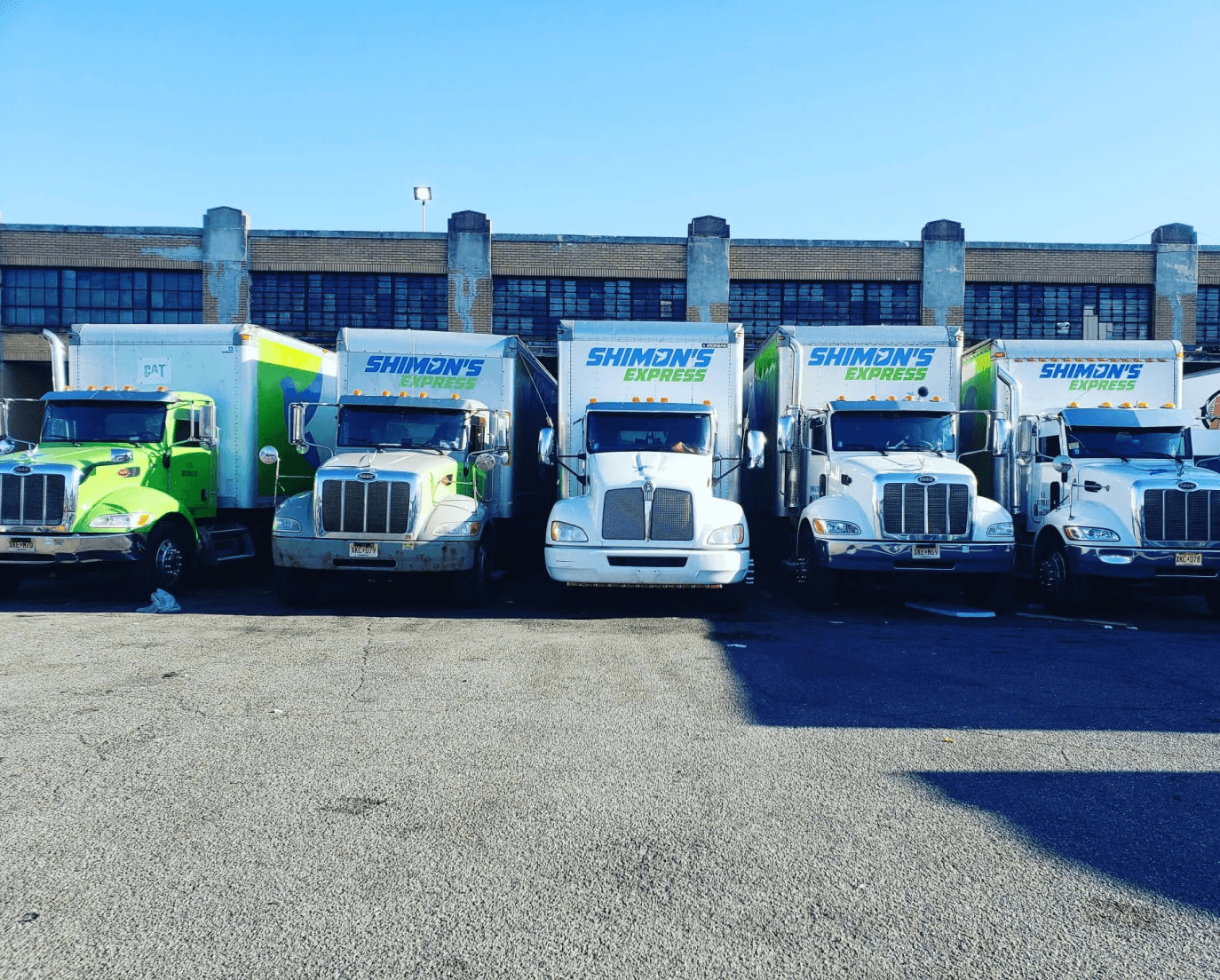
No. Every product screenshot on this page comes from a demo company with invented customers and orders. The photo at the top shows Shimon's Express's own box trucks, parked at the company yard.
Where do the numbers on this page come from?
They are platform-wide totals from the RushHour production database in September 2026, rounded down. Almost all of that volume belongs to Shimon's Express, which is why they appear on its story.
Can another carrier run the same way?
Yes. The orders, dispatch, appointment requests, driver app and invoicing described here are standard parts of RushHour. Book a demo and we'll show your own lanes and freight running from the order to the invoice.
The RushHour features behind this story
Run your own operation through RushHour.
Bring us your real freight and we'll show you an operation like yours running from order to invoice. Book a demo with your own lanes on screen. Every plan except Enterprise also comes with a 30-day free trial.