
Map providers, Customer Portal self-service and QuickBooks
Companies can now connect their own HERE, Mapbox, Radar or Trimble Maps account for maps, address search and routing. Dispatchers get driver instructions for individual stops, a driver History tab and faster loading for large routes. Billing teams can add waiting time straight from an invoice and send a single payment to QuickBooks, and QuickBooks exports now wait until the linked invoices are approved. Customers can cancel approved orders and invite colleagues to the Customer Portal, stop instructions now travel with the details sent to drivers, and Hours of Service is more reliable. Data access in the Customer Portal and driver app is also tighter.
Nuevo9
Portal de clientes
Customers can cancel approved orders from the Customer Portal
Customers can now cancel an approved order themselves in the Customer Portal, not just quotes and drafts, as long as the order is not closed and none of its stops has been completed. If a stop has already been completed, the portal tells them the order can no longer be cancelled online and asks them to contact support.
Portal de clientes
Customers can invite their own colleagues to the Customer Portal
Customer Portal users can now invite colleagues to sign in to their own customer account, and re-send an invitation that has not been accepted yet, without waiting for your office team to set it up. Invited colleagues get an email with a link to set their own password. The option is on by default, and company admins can switch it off for customer portal users in role permissions.
Despacho y rutas
Driver instructions for individual pickup and delivery stops
Add a note for the driver, such as a gate code, dock number or "call on arrival", to a single pickup or delivery stop, from the order form or straight from a Dispatch route card. Stops with a note are flagged on the order and on Dispatch route cards, the note is included when you copy or send stop details to the driver (including over Telegram), and changes to it are recorded in the order's audit log.
Integraciones y mapas
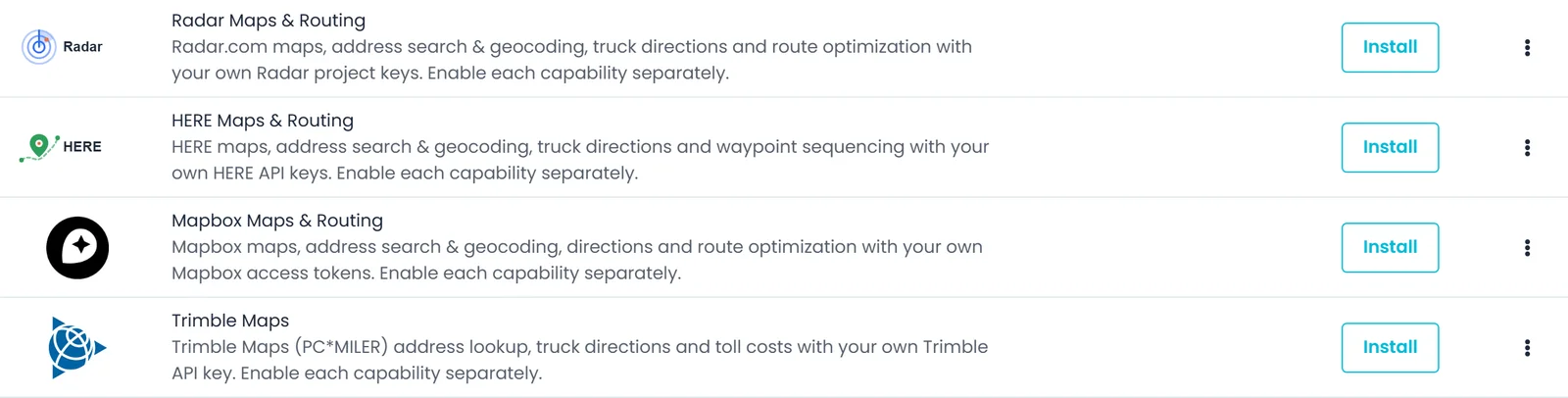
Connect Trimble Maps, and use your map vendor for more lookups
Connect your Trimble Maps account under Settings → Integrations, with separate switches for address search and directions; Trimble is not used to draw the map itself. If you connect Radar, HERE, Mapbox or Trimble Maps with address search turned on, that vendor also turns coordinates into an address, finds nearby fuel stops and amenities, and handles the AI assistant's address and place lookups. The pricing-zone editor now uses the map provider your company has selected.
Choferes y app de choferes
Driver History tab now shows a driver's orders and routes
The History tab on a driver's profile is now available. Switch between the orders assigned to that driver, with From and To addresses, price and status, and the routes they've been assigned, both listed newest first. The orders view has search and a date-range picker with quick presets, you can link straight to the tab, and search on a customer's Orders tab now works too.

Integraciones y mapas
Connect your own HERE or Mapbox account for maps and routing
You can now connect your own HERE or Mapbox account in Settings > Integrations and use it for address search, directions and route optimization, switching each one on or off. HERE Maps and Mapbox are also now map provider choices. Nothing changes for your company until you add your own keys.
Facturación y contabilidad
Add or correct waiting time directly from an invoice
You can now add or correct a stop's waiting time from the invoice editor, without undoing and re-confirming the stop. Pick the stop and set arrival, departure and free time: the fee is priced from your company's Waiting Time rate when one is set up, the stop's own times update to match, and existing waiting-time lines reopen in the same window. In stop confirmation, a longer typed waiting time now moves departure out to fit.
Integraciones y mapas
Connect your own Radar account for maps, address search and routing
Companies with a Radar.com account can now connect it under Settings > Integrations and use Radar for address search, driving directions and mileage, and route optimization on smaller routes, each switched on separately. You can also pick Radar Maps as your map provider, choose a truck or car profile and a map style, and check your keys with a built-in connection test.
Facturación y contabilidad
Send a single payment to QuickBooks
For companies connected to QuickBooks, staff with permission to send to QuickBooks can now send a single payment from its menu in an invoice's payment list, on both the classic and redesigned Accounting screens. A payment that isn't eligible yet, for example because its invoice isn't in QuickBooks, is reported as skipped. Manual Send to QuickBooks actions for invoices and payments now list the invoice and payment numbers that were sent, rejected by QuickBooks, queued for automatic retry, failed, or skipped.
Mejorado14
Pedidos y cotizaciones
Save orders with no drivable route and assign hubs later
When the map lookup finds no road route between a pickup and its delivery, such as on an overseas shipment, the order now saves instead of being rejected, and both stops are flagged Assign HUB. Choose a warehouse near each end whenever you are ready, and the order runs as two separate legs with the hub stops marked HUB. An order that already has a price also keeps its existing distance-based charges if a route lookup fails.
Facturación y contabilidad
QuickBooks exports wait for approved invoices, with clearer results
With QuickBooks Online connected, automatic sends, manual sends and re-syncs export an invoice only once it is approved and set as the default invoice, and its order is closed (or it has no order), so drafts stay out of your books. In automatic mode, an invoice that is not ready yet gets an "Awaiting QuickBooks Eligibility" entry in the order's invoice audit log. Manual sends now list which invoice and payment numbers were sent, skipped or rejected, and the send button is disabled while a send is running.
Portal de clientes
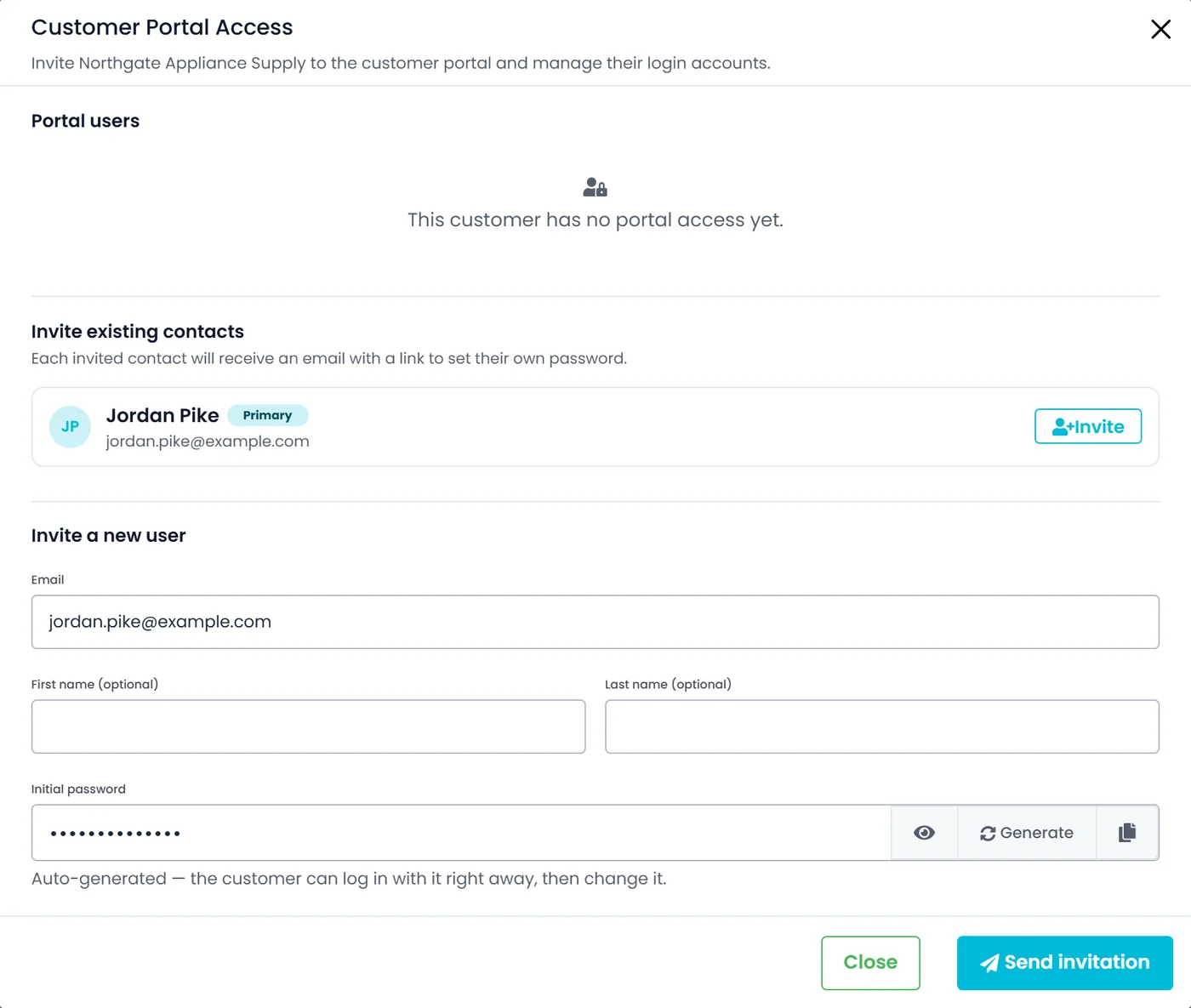
Invite existing contacts to the Customer Portal in one click
Admins can now invite a customer's existing contacts to the Customer Portal straight from the Customer Portal Access dialog: one click per contact, or several at once with Invite selected or Invite all. The list shows contacts that have a valid email and don't yet have a portal login for that customer. Each person invited gets an email with a link to set their own password.
Despacho y rutas
Lighter, faster loading for large routes
Opening a large route's stops now downloads far less data, because stops no longer carry a hidden, repeated list of related stops that no screen used. Large routes load faster in route details on the dispatch board, and when you transfer stops, print BOLs or copy stop details for a driver. What you see on those screens is unchanged.
Facturación y contabilidad
Choose where a new invoice charge type is saved
When you create a new charge type while editing an invoice, you can now tick one or more places to save it: the company-wide charge types list in Settings, the billing customer, and any of the order's pickup or delivery customers (listed as Pickup #1, Delivery #1 and so on). The billing customer is ticked by default, and Create New now also works on invoices that have no billing customer yet.
Integraciones y mapas
Paste map links from more map apps into customer addresses
The Map Link field on a customer address now reads the location from OpenStreetMap, HERE WeGo, Bing Maps, Apple Maps and Waze links that include coordinates, as well as from Google Maps links. Shortened HERE WeGo links to a dropped pin now work alongside shortened Google Maps links, and applying the link fills in the address from that spot. The field is now labelled "Map Link" instead of "Google Map Link", with matching Hebrew wording.
Facturación y contabilidad
A more compact Accounting transactions list
The Accounting transactions list has fewer columns, so it needs less sideways scrolling. Download, QuickBooks and email indicators now sit in the Status cell instead of three separate columns, Items is a slim Qty column, and a number shared by an invoice and its order is shown once. In the new accounting view, invoice and order numbers sit inside their coloured labels.
Facturación y contabilidad
QuickBooks payments now wait until every linked invoice is ready
For companies connected to QuickBooks Online: a payment is sent to QuickBooks only once every invoice it is applied to is ready for QuickBooks and already in QuickBooks. While it waits, the invoice audit log records the hold and lists the invoices it is waiting on; once they are ready, the payment is sent automatically in the background. A payment already in QuickBooks is updated there, not added a second time.
Integraciones y mapas
Integration Test connection now stops after about 20 seconds
Test connection for map and routing integrations in Settings > Integrations (Valhalla, VROOM, Radar, HERE, Mapbox and Trimble Maps) now stops waiting after about 20 seconds. If the service doesn't answer in time, you'll see a message that the test timed out and a reminder to check the URL and that the host is reachable. Before, a slow or unreachable Valhalla server could leave you on a long spinner that ended in a generic error.
Despacho y rutas
Archive prompt after the last stop now appears on order screens too
If you mark a route's last open stop as picked up or delivered from the order page, you now get the same prompt as on the dispatch board: archive the route or keep it running. From the order page, the portal first checks that every stop on the route is confirmed. Only users with permission to archive routes see the prompt.
Pedidos y cotizaciones
Open the billing customer's profile from an order or quote
On order and quote pages, the billing customer's name is now a link to that customer's profile, opening on the Contacts tab. It opens in a new tab so you keep your place on the order, and you can reach it with the keyboard or middle-click it to open in a background tab. Orders without a billing customer show no link.
Despacho y rutas
Simpler Add Charge popup when confirming a stop
When you create a new additional charge while confirming a stop, the popup now asks only for the name, price per unit, and the Enter Amount and Overridable Price options, the same short form used on a customer's Additional Charges tab. The new charge is saved to your company's charge list and added to the stop. Its QuickBooks item name is taken from the charge name, and the other advanced charge settings stay in Settings.
Despacho y rutas
Appointment request emails no longer show internal stop numbers
Appointment request emails, both the first request and the follow-up proposing a new time, no longer show an internal stop number such as "Stop 3" next to the order number. The reference line now shows only the order number, and the email still includes the location name and address when they are on file.
Pedidos y cotizaciones
Tidier, more compact trip details in expanded order rows
Expanding an order on the Orders list now shows a more compact trip panel with less empty space. Addresses, the attachment button and the driver and truck stay lined up in columns across trip rows, long driver names are shortened with the full name on hover, and the Pickup or Delivery label now shares a line with its date and time.
Corregido18
Plataforma
Customer address edits no longer disappear on Save
On some customer records, address changes (Location Details, Company Location, country, state, city or zip) could fail to save even though the screen said the customer was updated. Those edits now save, and if an address is ever refused you get an error message instead of a success message. The rule that a customer needs at least one email address also keeps applying after you delete an email.
Facturación y contabilidad
Customer credit and spending charts now show real account figures
A customer's monthly spending chart now shows zero for months with no recorded spend. The Credit tab shows that customer's own credit limit, balance used, available credit, credit terms and latest credit request status, and pending requests are labelled Pending. The Trucks list shows each truck's saved insurance cost, and overview cards with no data behind them yet show a clear placeholder.
Despacho y rutas
Driver distances show for more drivers when assigning an order
When assigning a driver to an order, the distance next to a driver was often missing: unless the truck had a live position from a connected fleet-tracking integration, the distance could only use a location the driver app had reported in the past 24 hours. It now uses the driver's last location reported through the driver app in the past 30 days, so more drivers show a distance. This is a straight-line distance from the last known location, which may not be where the driver is right now.
Despacho y rutas
Unassigned transfer orders no longer leave hand-off stops behind
When a dispatcher unassigns the stops on both sides of a driver-to-driver transfer, the hand-off stops are now removed from both drivers' routes too, instead of staying on them. Transfers that are already partly completed or in progress are not deleted.
Plataforma
Lists no longer load twice when you open a page
Opening Orders, Quotes, Customers, Drivers, Documents, Inbox, the dispatch board, many Settings lists or the accounting customer list could fetch the same data a second time right after the first load. On Orders and Quotes, rows appeared, flashed back to loading, then appeared again. That extra second load no longer happens.
Choferes y app de choferes
Hours of Service: daily summary and rest-period status fixes
In the driver app's Hours of Service screen, the daily summary now appears with zero hours for a day that has no hours recorded yet, instead of being left out. A driver who has stayed in the same off-duty or sleeper-berth status for 10 hours or more is no longer shown as having just started a shift. The app shows no shift in progress for as long as that rest continues.
Confiabilidad y rendimiento
Opening a customer, driver, order or quote now rides out a brief blip
Opening a customer, driver, outsource company, order or quote (from the list, a bookmark or a shared link) now retries once when the first request fails for a temporary reason, such as a dropped connection or a brief server error. Previously that one failure could leave the record blank, or close it and remove it from the address bar. A record that doesn't exist or that you can't access is not retried.
Pedidos y cotizaciones
Full Load items need dimensions or a pallet size in classic order view
In the classic order view, a Full Load item now needs its dimensions before it can be saved, or a pallet size if it is packed on pallets, matching the new order view. The same check now applies when you add or edit an item while confirming a stop on a route. The classic order view also keeps the truck type and pallet size you pick instead of clearing them when you save.
Pedidos y cotizaciones
Order stops now save after re-picking the same company
When editing a pickup or delivery stop, picking the company that was already on the stop from the list could leave a validation error on the company name and block Save. The company and contact name pickers now store just the selected name, so the stop saves as expected.
Plataforma
Enter a city that isn't in the City list
In the RushHour web app, the City drop-down on address forms now accepts a city that isn't in its list. Choose the state, type the city name, pick "Use city" and save as usual, so a missing town no longer blocks an address. A city you type in yourself doesn't pre-fill the ZIP code.
Despacho y rutas
Dispatch board search box now shows the active search
On the new dispatch board, the Search Driver box now shows the term the routes are filtered by when you open the board from a saved or shared link, an order's View in Dispatch button, or a route picked in global search. Previously the box could stay blank while the list was filtered, so the board looked unfiltered. Typing in the box works as before.
Confiabilidad y rendimiento
Save now re-checks a just-typed ZIP code before storing it
Clicking Save straight from a ZIP or postal code field could occasionally store a value the form was flagging as invalid at that same moment. Save now checks the form's current values at the moment you click, so an invalid entry is blocked instead of saved. This covers the customer, customer contact, customer location, driver, outsource company, user and company profile forms, plus the customer address dialog in the order editor.
Pedidos y cotizaciones
Bill of Lading picker no longer lists transfer hand-offs
On orders that include a transfer, the list for choosing which Bill of Lading to open no longer shows the transfer's internal hand-off stop as a separate delivery. It lists the billing copy and your actual deliveries, numbered the same way the order page numbers them.
Facturación y contabilidad
Accounting: Clear Filters stays visible; customer panel handles errors
In Accounting on the new interface, the Clear Filters link now stays visible when you turn off both the Invoice and Payment type buttons, so you can reset the filters in one click. If a customer's details fail to load when you open the page, the customer panel no longer stays blank and still shows your customer list. Whether you open the page or come back from the filter view, transactions stay scoped to the selected customer.
Plataforma
Customer profile screens cleaned up for dark mode
In dark mode, customer profile form fields are no longer bright white, and chart rings and axis labels now match the theme, including on the classic customer screen and on outsource company screens. On the default customer page, the star rating now sits on its own line under the customer name, so long names no longer squeeze it into a column, and the spending chart notes when a customer has had no spending in the last 7 months.
Plataforma
User sessions tab in the Activity Log now loads when you open it
The User sessions tab in Settings > Activity Log now loads its sessions as soon as you open it, instead of showing an empty table. The All, AI Activity and System Activity tabs now also use numbered pages and a 15/20/50/100 rows-per-page selector, like the User sessions tab.
Despacho y rutas
Tidier Assign Driver controls and steadier country picker
In the Assign Driver panel, the All / Available / Full filter is now the same height as the search box beside it. Country names in the country picker no longer shift sideways while their flags load.
Plataforma
Email type option now reads "Bill Of Lading"
The email-type picker on customer, contact and outsource company forms now spells its "Bill Of Lading" option correctly. It is the same option as before, so existing email settings are unchanged. The picker's dropdown arrow also has a little more space, and in the older interface the Broker Account and Lead checkboxes on the new-customer form now line up with the fields beside them.
Seguridad1
Plataforma
Tighter data access for the customer portal and driver app
Tightened what company account data the customer portal and driver app can read.